Local AI coding
Local AI coding without shipping your repo to the cloud
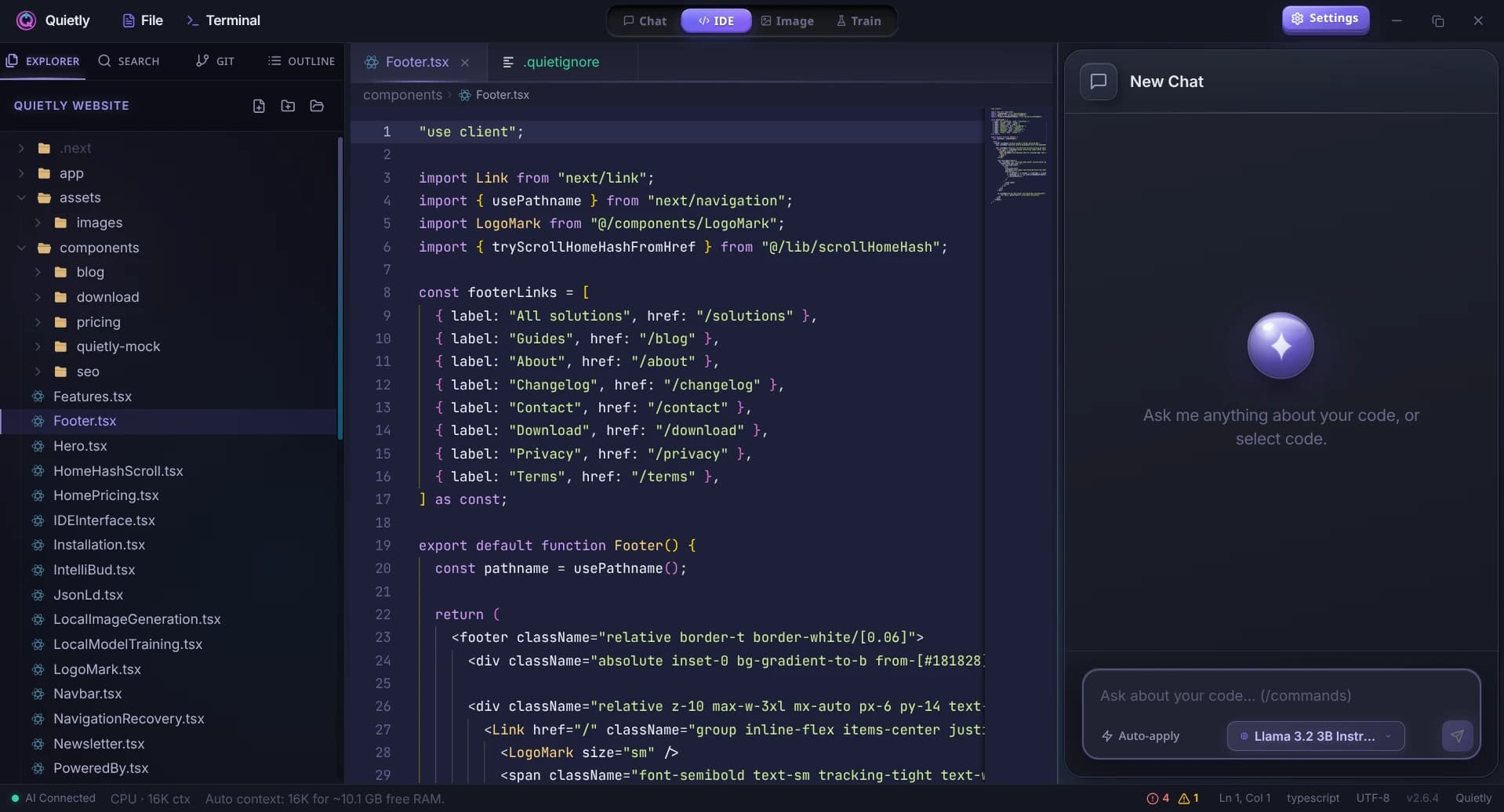
Local AI coding means your editor, terminal, and language model run together on your machine. Quietly connects them so suggestions and chat never leave the device unless you choose otherwise.
GGUF models you control
Download models from the app, swap quantizations, and match VRAM to hardware—no vendor lock-in on model host.
Pair-programming in the editor
Ask for refactors, tests, or explanations in context—similar to cloud assistants, with local inference.
Predictable cost
One-time license instead of per-seat API usage—strong fit for heavy daily coding.
A practical local AI coding workflow
Install Quietly, let it auto-fetch the llama.cpp engine, then download a coding-oriented model (for example Qwen 2.5 Coder 7B or Llama 3.1 8B). llama.cpp is the engine for everyday coding; AirLLM and Frontier are for occasional, slower questions to much larger models.
Open a project, use the AI panel for chat, and keep the built-in terminal for builds and tests—all offline after setup.
Privacy expectations for local AI coding
Local AI coding should mean zero telemetry on usage content. Quietly contains no analytics code, and prompts and files are never sent to us.
For compliance reviews, pair this page with our Privacy Policy and Terms on quietlycode.org.
Guides
Best Local Coding Models You Can Run Offline in 2026
A hardware-honest shortlist of open coding LLMs for offline IDEs: which model classes win for 8GB, 16GB, and 24GB, how to judge agent readiness, and how to load them in Quietly without cloud APIs.
Local RAG for Repos: Private Project Context Without Cloud
How local RAG gives an offline AI IDE surgical repo context without uploading code: indexing under .quietly/, .gitignore/.quietignore, cursor-aware retrieval, and a privacy checklist for teams.
VRAM Guide: What Local Coding Models Fit 8GB, 16GB, and 24GB (2026)
A practical VRAM budget for offline AI coding: which GGUF model sizes fit 8GB, 16GB, and 24GB GPUs, how KV cache eats memory, and how to pick a Quietly-ready stack that stays fast.
Best Local LLM for Laptops Without a GPU (8 GB / 16 GB RAM) — 2026 Picks
No graphics card? You can still run useful AI offline. The best local LLMs for CPU-only laptops with 8 GB or 16 GB of RAM, what speed to expect, and simple tweaks that make them faster.
How Much RAM Do I Need to Run an LLM Locally? (Simple 2026 Guide)
A simple, no-jargon guide to how much RAM you need to run a local LLM: the one formula to remember, a table for 8 GB to 64 GB machines, why context length eats memory, and how to check your own PC in one click.
When ChatGPT, Claude and Grok Went Down Together: Building an Offline AI Backup Plan (2026)
On September 3, 2026, Claude, ChatGPT, Codex and Grok failed at the same time—so switching providers didn’t help. What 2026’s outages taught us about “multi-AI” resilience, what downtime really costs, and a three-tier offline backup plan you can set up in an afternoon.