Local image generation
Generate images locally with Quietly’s Image tab
Quietly includes a dedicated Image tab for on-device image generation. Describe a picture and Quietly draws it on your machine—nothing leaves your computer. FLUX.1 schnell when VRAM allows; SDXL GGUF on smaller GPUs.
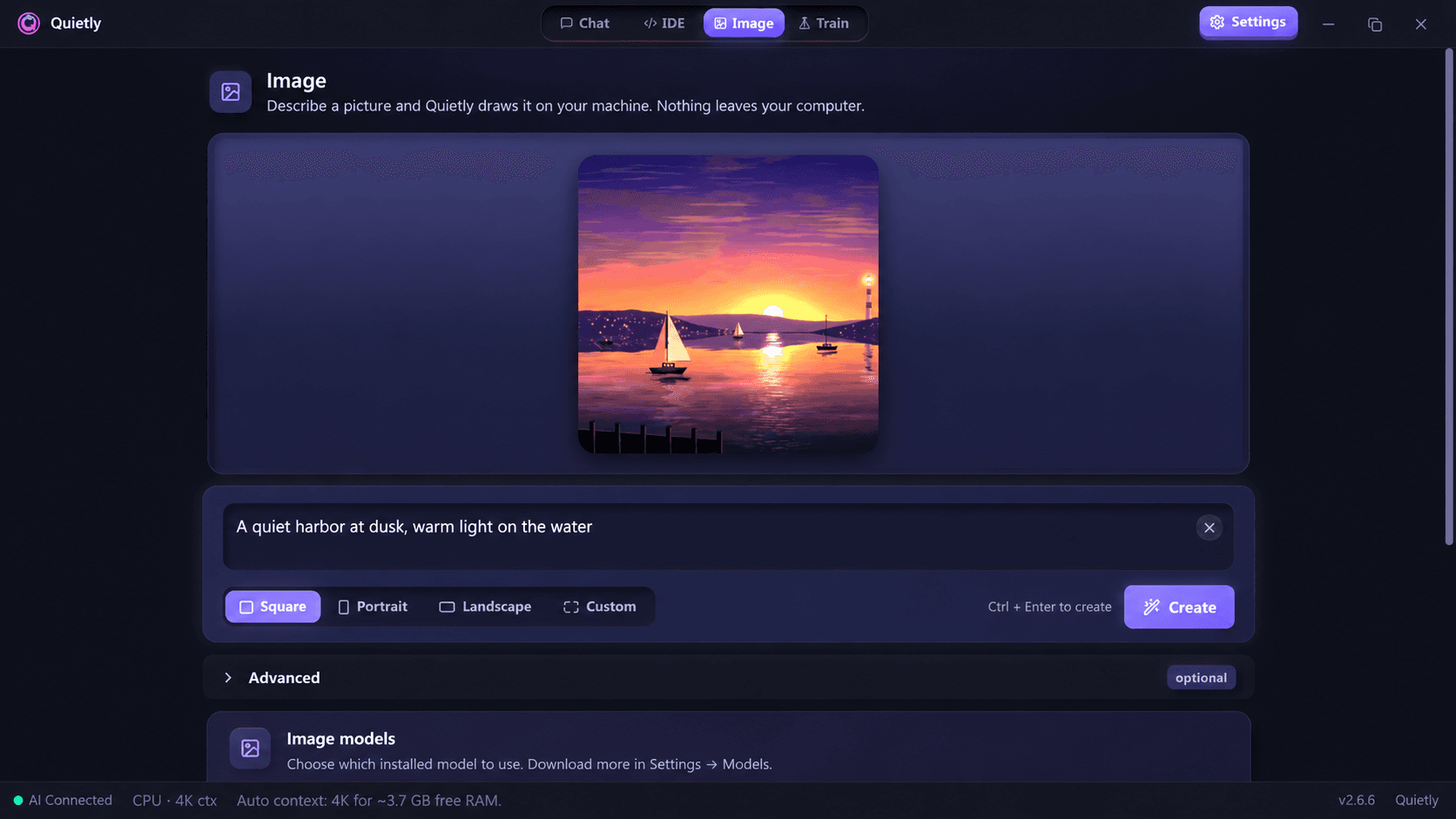
Dedicated Image tab
A first-class workspace for prompts, aspect ratios, and on-device generation—alongside Chat, IDE, and Train.
FLUX.1 schnell · SDXL GGUF
Uses FLUX.1 schnell when VRAM allows, and SDXL GGUF on smaller GPUs. Apache 2.0 / OpenRAIL++ only—FLUX.1-dev is not offered.
Nothing leaves your computer
Prompts and pixels stay on-device. No cloud image API after models are local.
Who needs local image generation?
Designers, developers, and teams that cannot upload creative briefs or proprietary visuals to hosted image APIs use Quietly to keep generation on-device.
Individuals who want private experimentation—concept art, UI mock textures, or personal projects—get the same offline-first posture as Quietly Chat and the offline AI IDE.
A practical local image workflow
Install Quietly, open the Image tab, pick a local image model, and generate. Adjust size and sampling settings to match your hardware.
Pair image work with Quietly Chat for prompting help or the offline AI IDE when images sit beside a code project—one license, fully local stack.
Guides
Offline AI Image Generation on Your PC: SDXL vs FLUX vs Sana (2026)
Generate AI images on your own computer with no internet, no credits, and no uploads. SDXL, FLUX.1 schnell, and SANA compared in plain English—what hardware each needs and which one to pick.
Running Local AI in the 2026 RAM Shortage: Free Settings Worth Hundreds of Dollars of Memory
A 64 GB DDR5 kit went from about $222 to over $1,000 in a year. Before you buy RAM for local AI, put a price on your settings: context length, quantization and GPU offload can free gigabytes for free. The maths, a ranked list of tweaks, and when upgrading still makes sense.