Best Local LLM for Laptops Without a GPU (8 GB / 16 GB RAM) — 2026 Picks
No graphics card? You can still run useful AI offline. The best local LLMs for CPU-only laptops with 8 GB or 16 GB of RAM, what speed to expect, and simple tweaks that make them faster.
Awareness · 10 min
Best Local LLM for Laptops Without a GPU (8 GB / 16 GB…
No graphics card? You can still run useful AI offline. The best local LLMs for CPU-only laptops with 8 GB or 16 GB of RAM, what speed to expect, and simple tweaks that make them faster.
Definition
The best local LLM for a laptop without a GPU is a small, 4-bit quantized model—usually 1–4 billion parameters on 8 GB of RAM, or 7–8 billion on 16 GB—run by a CPU-optimized engine like llama.cpp.
Most “run AI locally” guides quietly assume you own a gaming GPU. Most people don’t. They have an ordinary laptop with integrated graphics and 8 or 16 GB of RAM.
Here is the reassuring part: small models have improved dramatically. A 3–4B model today handles everyday questions, summaries, and simple code that needed a much bigger model a couple of years ago.
This guide lists the models that actually work well on CPU-only laptops, the speed you can realistically expect, and a few settings that make a real difference.
First, realistic expectations
Typical generation speed on a modern CPU-only laptop (4-bit models). Your results will vary.
| Model size | Approx. speed | Feels like |
|---|---|---|
| 0.5–1.7B | 20–40+ tokens/sec | Instant, but simpler answers |
| 3–4B | 8–20 tokens/sec | Comfortable reading speed |
| 7–8B | 3–10 tokens/sec | Usable; you wait a little |
| 13B+ | 1–4 tokens/sec | Slow; only for patient tasks |
For reference, people read at roughly 5–8 tokens per second, so anything above that feels smooth. The real bottleneck on laptops is memory speed, not just the CPU—more on that below.
Best picks for 8 GB RAM laptops
With 8 GB, your OS and browser already use a big chunk. Aim for models that need around 3–4 GB so the system never starts swapping.
All sizes are for 4-bit (Q4_K_M) GGUF files.
| Model | Download | Best for |
|---|---|---|
| Llama 3.2 3B Instruct | ~2.0 GB | All-round chat, writing, summaries |
| Qwen 2.5 3B Instruct | ~2 GB | Reasoning, maths, multilingual |
| Qwen 2.5 Coder 3B | ~2 GB | Code explanations and small snippets |
| Phi-4 Mini (3.8B) | ~2.4 GB | Reasoning and study help |
| Gemma 3 4B | ~2.5 GB | Friendly writing, general knowledge |
| Llama 3.2 1B / Qwen 3 1.7B | ~0.8–1.1 GB | Very old or 4 GB machines |
tip
Our default pick for 8 GB
Start with Llama 3.2 3B for general use or Qwen 2.5 Coder 3B for code. Both answer at a comfortable speed on most CPUs and leave room for your browser.
Best picks for 16 GB RAM laptops
16 GB opens the door to 7–8B models, which are a big step up in quality. They run slower on a CPU, so many people keep a 3–4B model for quick questions and switch to a 7B for harder ones.
All sizes are for 4-bit (Q4_K_M) GGUF files unless noted.
| Model | Download | Best for |
|---|---|---|
| Qwen 2.5 7B Instruct | ~4.7 GB | Best all-rounder at this size |
| Llama 3.1 8B Instruct | ~4.7 GB | Natural writing and chat |
| Mistral 7B Instruct v0.3 | ~4.4 GB | Fast, concise answers |
| Qwen 2.5 Coder 7B (Q5) | ~5.0 GB | Coding help and agent work |
| DeepSeek Coder 6.7B | ~4.0 GB | Code completion and explanations |
| Qwen 3 4B / Phi-4 Mini | ~2.4–2.5 GB | Quick answers while multitasking |

Why small models work better on CPUs
Every word the model writes requires reading nearly the whole model from memory. A laptop’s RAM moves roughly 40–100 GB per second, so a 2 GB model can be read many more times per second than a 5 GB model. Halve the model size and you roughly double the speed.
- Dual-channel memory (two RAM sticks) is often up to twice as fast as a single stick.
- Newer DDR5/LPDDR5 laptops are noticeably quicker than older DDR4 ones.
- More CPU cores help with reading your prompt, but beyond a point, memory speed is the limit.
Simple tweaks that make a real difference
- Plug in your charger. Laptops throttle heavily on battery.
- Close browser tabs and heavy apps so the model never swaps to disk.
- Keep context reasonable. Long chats and pasted documents slow CPUs down; start a new chat for new topics.
- Use 4-bit (Q4_K_M) files. Higher-quality Q8 files are almost twice the size and about half the speed.
- Let the app choose threads. Quietly suggests CPU threads as your core count minus one (up to 16), which avoids freezing your system.
note
Integrated graphics can help a little
On Windows, Quietly’s llama.cpp engine uses Vulkan for non-NVIDIA GPUs, so some integrated GPUs can speed things up. If it causes problems, set GPU layers to “CPU only” in Settings → Inference.
The easy way: let Quietly pick for you
Quietly was built to run well on ordinary laptops. Its Device scan knows the difference between a CPU-only machine and one with a GPU: models of 3B or less get a “great for CPU” boost, while models larger than 7B are marked “expect slow” on CPU-only systems.
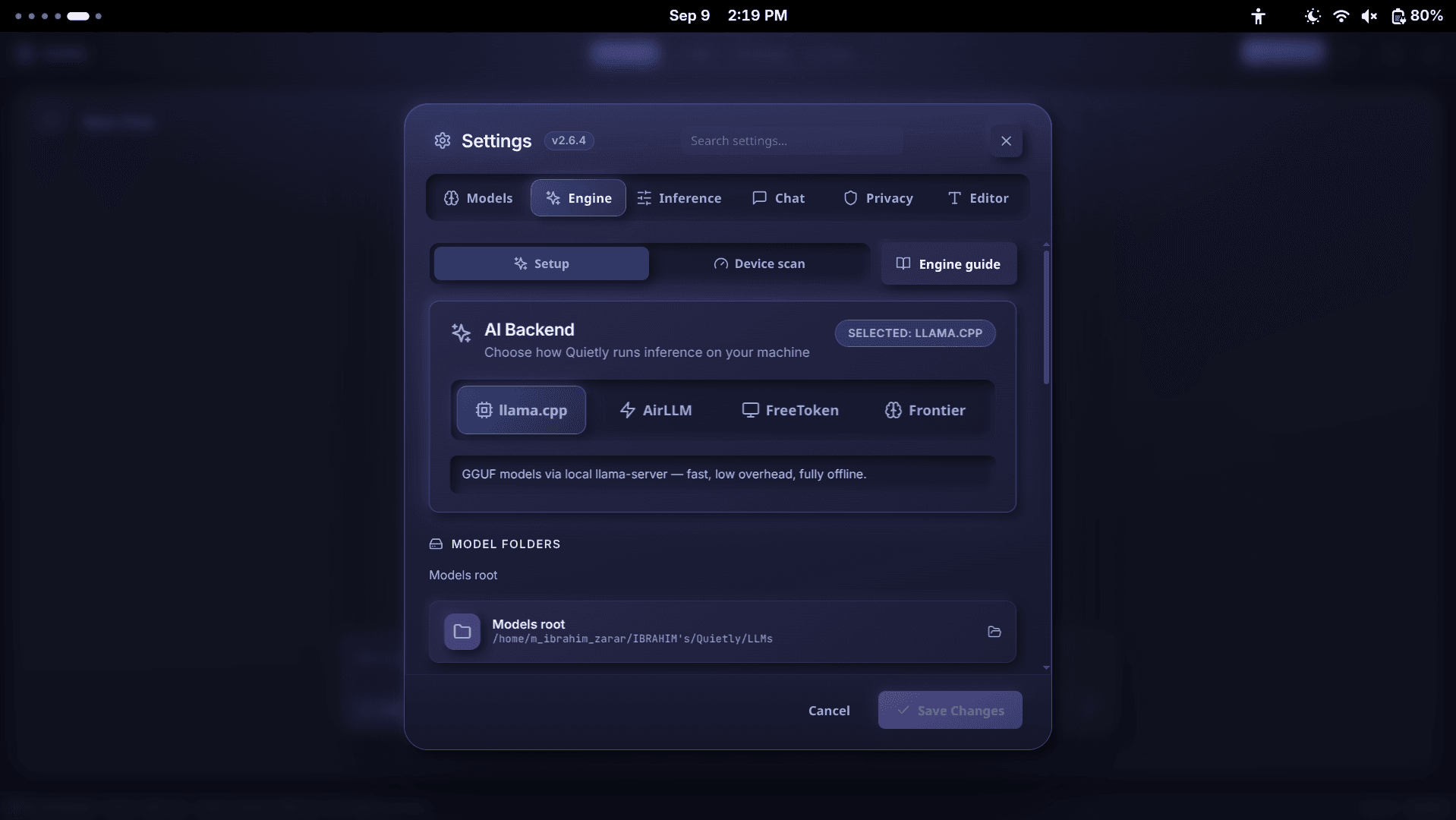
- Open Settings → Engine → Device scan and click “Scan my device.”
- Pick a model from “Best for your device” and click download.
- Leave the context window on Auto—Quietly picks a size that fits your free RAM.
- Start chatting in the Chat view, or open a project in the IDE for coding help.
FAQ
Can I run an LLM on a laptop without a GPU?
Yes. llama.cpp-based apps run 4-bit models entirely on the CPU. On 8 GB of RAM, 1–4B models like Llama 3.2 3B or Phi-4 Mini work well; on 16 GB, 7–8B models like Qwen 2.5 7B are usable.
What is the best LLM for 8 GB RAM?
Llama 3.2 3B is our default pick for general use, Qwen 2.5 Coder 3B for code, and Phi-4 Mini or Gemma 3 4B for reasoning and writing. All are around 2–2.5 GB at 4-bit.
What is the best LLM for 16 GB RAM without a GPU?
Qwen 2.5 7B Instruct is a strong all-rounder, Llama 3.1 8B is great for writing, and Qwen 2.5 Coder 7B is best for coding. Expect roughly 3–10 tokens per second on a modern laptop CPU.
Why is my local LLM so slow on my laptop?
Common causes are running on battery, a model that is too big for your RAM (causing swap), a single RAM stick, or a very long context. Try a smaller 4-bit model, plug in, and start a fresh chat.
Do small models give good answers?
For everyday tasks—explaining concepts, drafting text, summarizing, and simple code—modern 3–4B models are surprisingly good. For complex reasoning or large code changes, a 7B+ model is noticeably better.
Related guides
Awareness
How Much RAM Do I Need to Run an LLM Locally? (Simple 2026 Guide)
A simple, no-jargon guide to how much RAM you need to run a local LLM: the one formula to remember, a table for 8 GB to 64 GB machines, why context length eats memory, and how to check your own PC in one click.
Awareness
How to Run a 70B Model on a Small GPU with AirLLM (Honest 2026 Guide)
AirLLM lets 70B-class models like Llama 3.3 70B run on GPUs and PCs that could never hold them in memory. How layer streaming works, what speed and disk space to really expect, and how to set it up without the terminal.
Awareness
llama.cpp GUI for Beginners: Run Local AI Without the Terminal
llama.cpp is the engine behind most local AI—but it’s a command-line tool. Here’s what it does, what all those flags mean, and how to use it through a simple GUI without typing a single command.