Local AI training
Train models on your hardware with SOUP
Quietly’s Train tab integrates SOUP so you can teach a model in your own words, on your own machine. Compose SFT runs from a local HF folder and JSONL dataset—Soup ready on everyday GPUs, including Intel.
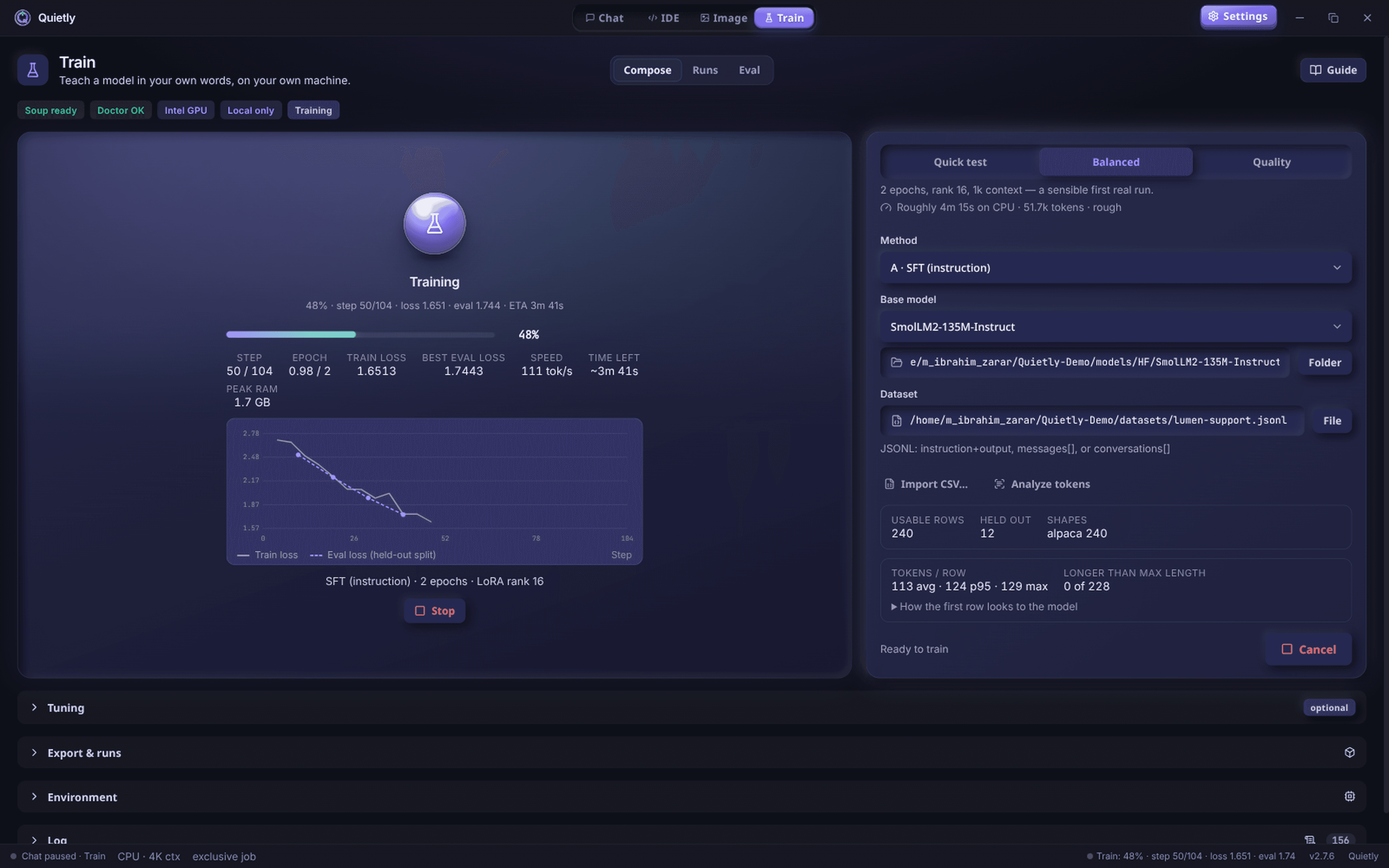
SOUP inside Quietly
Open Train → Compose, pick method (e.g. A · SFT), base model, and dataset, then press Train—Soup ready status when the stack is healthy.
Low-spec friendly
Built for everyday machines—status badges surface GPU, Doctor OK, and Local only so you know training stays on-device.
Nothing leaves your computer
Your fine-tune data never enters a vendor training pipeline. Keep proprietary corpora on the workstation.
Who trains locally with Quietly?
Builders adapting small models to a house style, domain jargon, or private docs—without uploading datasets to hosted fine-tune services.
Teams evaluating on-device training for compliance: Quietly keeps the workflow inside the same privacy-first desktop app as Chat, IDE, and Image.
Getting started with the Train tab
Install Quietly, open Train, select a base model and a local dataset path, then start a SOUP run. Monitor epochs and loss on-device.
After training, use the adapted model in Quietly Chat or the offline AI IDE—still fully local after setup.
Guides
How to Fine-Tune a Local LLM on Your Own Code (No Cloud, 2026)
Teach a local model your team’s code style, APIs, and conventions without uploading a single file. A beginner-friendly guide to LoRA fine-tuning on your own machine: when it’s worth it, how to build the dataset, and how to use the result.
How to Run a 70B Model on a Small GPU with AirLLM (Honest 2026 Guide)
AirLLM lets 70B-class models like Llama 3.3 70B run on GPUs and PCs that could never hold them in memory. How layer streaming works, what speed and disk space to really expect, and how to set it up without the terminal.
Is That Model File Safe? Pickle vs Safetensors vs GGUF, and How to Download AI Models Without Malware
Researchers have found 1,574 look-alike models on Hugging Face, and 2026 brought critical bugs triggered by poisoned GGUF files. Which model formats can carry code, how fake repos fool people, what a sha256 checksum does—and doesn’t—prove, and a six-point checklist before every download.