Offline AI IDE
An offline AI IDE built for private, on-device coding
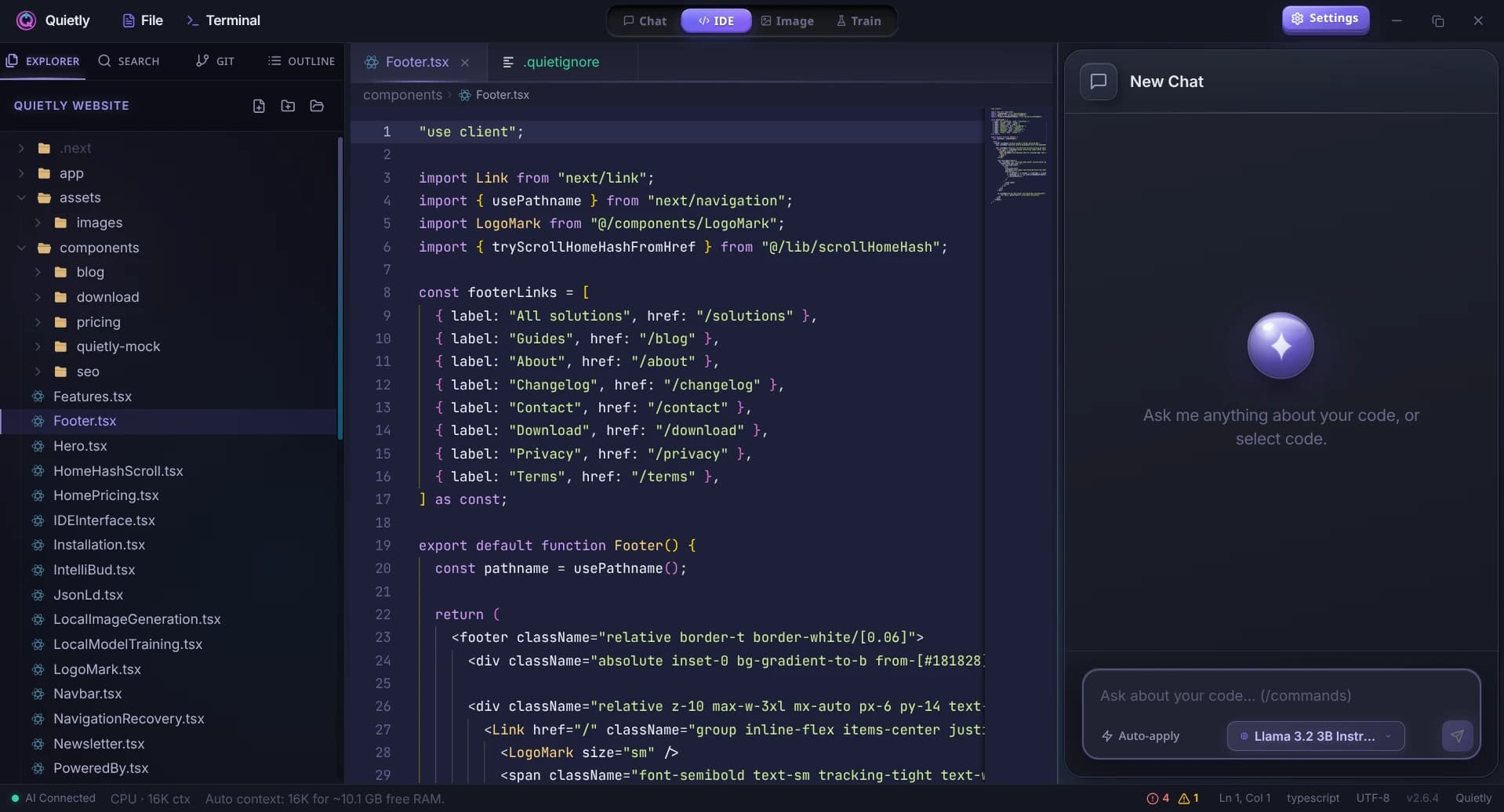
Quietly is a desktop offline AI IDE: edit code, run a local terminal, and pair with local models through llama.cpp—without sending your repository to a cloud API. AirLLM, FreeToken and Frontier add larger models when you need them.
No cloud inference by default
Prompts and completions stay on your hardware. Ideal when policy forbids uploading source to third-party assistants.
IDE + standalone chat
One app for project work and ad-hoc local LLM chat—useful when you want Copilot-like help without a subscription pipeline.
Windows, macOS, Linux
Install once, download models inside the app, then work offline after setup.
Who chooses an offline AI IDE?
Teams with NDAs, regulated data, or air-gapped networks often cannot use cloud coding assistants. An offline AI IDE keeps the same workflow—inline help, chat, terminal—while respecting data residency.
Individual developers use Quietly to experiment with local models (Qwen Coder, DeepSeek Coder, Llama 3 in GGUF) without metered API bills.
How Quietly differs from cloud IDEs
Cloud tools optimize for convenience and model freshness; Quietly optimizes for control. You choose the model files, the inference backend, and when the network is off.
Quietly is not a hosted fork of VS Code—it is a focused offline AI IDE with privacy-first defaults and a one-time license.
Guides
The Offline Cursor & GitHub Copilot Alternative: A Private AI IDE (2026)
Want Cursor- or Copilot-style AI coding without sending your code to the cloud? An honest look at what a private, offline AI IDE can do in 2026, where it still trails, and how Quietly fills the gap.
An AI Agent Deleted a Production Database in 9 Seconds. Here’s How to Stop Yours.
In April 2026 a coding agent found an API token, ran one command, and wiped a startup’s database and its backups. The model wasn’t the real problem. A plain-English look at agent “blast radius”, seven guardrails that would have stopped it, and how to set them up.
LM Studio vs Ollama vs Quietly (2026): Which Local AI Tool Should You Use?
A plain-English comparison of LM Studio, Ollama, and Quietly in 2026: what each one is really for, who should pick which, and why many people end up using more than one.
Top 5 Local AI Coding Tools You Can Run Offline (2026 Edition)
A practical shortlist for privacy-first developers: compare RAM needs, latency, and offline guarantees for popular local AI coding workflows (including Quietly).
Beyond Subscriptions: The Hidden Cost of AI Coding Assistants in 2026
A cost-intent breakdown for developers and teams: subscriptions, latency tax, data risk, and why local execution can be the best value AI IDE.
llama.cpp GUI for Beginners: Run Local AI Without the Terminal
llama.cpp is the engine behind most local AI—but it’s a command-line tool. Here’s what it does, what all those flags mean, and how to use it through a simple GUI without typing a single command.