The Offline Cursor & GitHub Copilot Alternative: A Private AI IDE (2026)
Want Cursor- or Copilot-style AI coding without sending your code to the cloud? An honest look at what a private, offline AI IDE can do in 2026, where it still trails, and how Quietly fills the gap.
Comparison · 12 min
The Offline Cursor & GitHub Copilot Alternative
Want Cursor- or Copilot-style AI coding without sending your code to the cloud? An honest look at what a private, offline AI IDE can do in 2026, where it still trails, and how Quietly fills the gap.
Definition
An offline Cursor or Copilot alternative is an AI code editor whose completions, chat, and agent all run on a model stored on your own computer—so it keeps working without internet and your source code never leaves the machine.
Cursor and GitHub Copilot made AI pair-programming normal. They are fast, polished, and backed by the strongest cloud models. They also share one design decision: every prompt, and the code around it, travels to someone else’s servers.
For a lot of developers that is fine. For others—client work under NDA, regulated industries, security teams, or anyone who simply wants their code to stay theirs—it is the one thing they cannot accept.
This guide explains what you actually get (and give up) when you move AI coding fully on-device, and walks through how Quietly recreates the Cursor/Copilot workflow offline.
Why developers look for an offline alternative
- Code confidentiality: client contracts, NDAs, and internal policies often forbid pasting source into third-party AI services.
- Compliance: finance, healthcare, government, and defense teams may need a hard guarantee that nothing leaves the network.
- Cost: per-seat monthly subscriptions add up across a team and a career.
- Reliability: no outages, rate limits, or “you’ve used your fast requests this month.”
- Travel and bad Wi‑Fi: planes, trains, and locked-down networks still need a pair programmer.
note
“Privacy mode” is still the cloud
Cloud assistants offer settings that limit retention or training. Those are policy promises. Your prompt still leaves your machine to be processed. An offline IDE removes that path entirely—there is simply no server to send it to.
Feature by feature: Cursor/Copilot vs an offline AI IDE
Here is how the everyday features map across. The honest summary: the workflow carries over well; the raw model intelligence depends on your hardware.
What you use daily in Cursor/Copilot, and the Quietly equivalent.
| Feature | Cursor / Copilot (cloud) | Quietly (offline) |
|---|---|---|
| Where the AI runs | Vendor servers | Your CPU/GPU, fully local |
| Chat about your code | Yes | Yes — side panel in the IDE plus a standalone Chat view |
| Inline edit on a selection | Yes (Cmd/Ctrl+K) | Yes — select code, press Ctrl+K, describe the change, review the diff |
| Ghost-text autocomplete | Yes, very fast | Yes, from your local model — off by default (Settings → Editor → AI inline completions) because it uses CPU/GPU |
| Agent that edits files and runs commands | Yes | Yes — with Ask, Accept edits, Plan, and Agent permission modes |
| Undo an AI change | Checkpoints / undo | Checkpoints: “Restore checkpoint” rewinds chat and file changes |
| Codebase-aware answers | Cloud indexing | Project Brain: local index stored in your project’s .quietly/ folder |
| Model quality | Frontier cloud models | Open models sized to your machine |
| Works with Wi‑Fi off | No | Yes, after setup |
| Pricing | Monthly subscription tiers | $49 one-time, up to 3 devices |
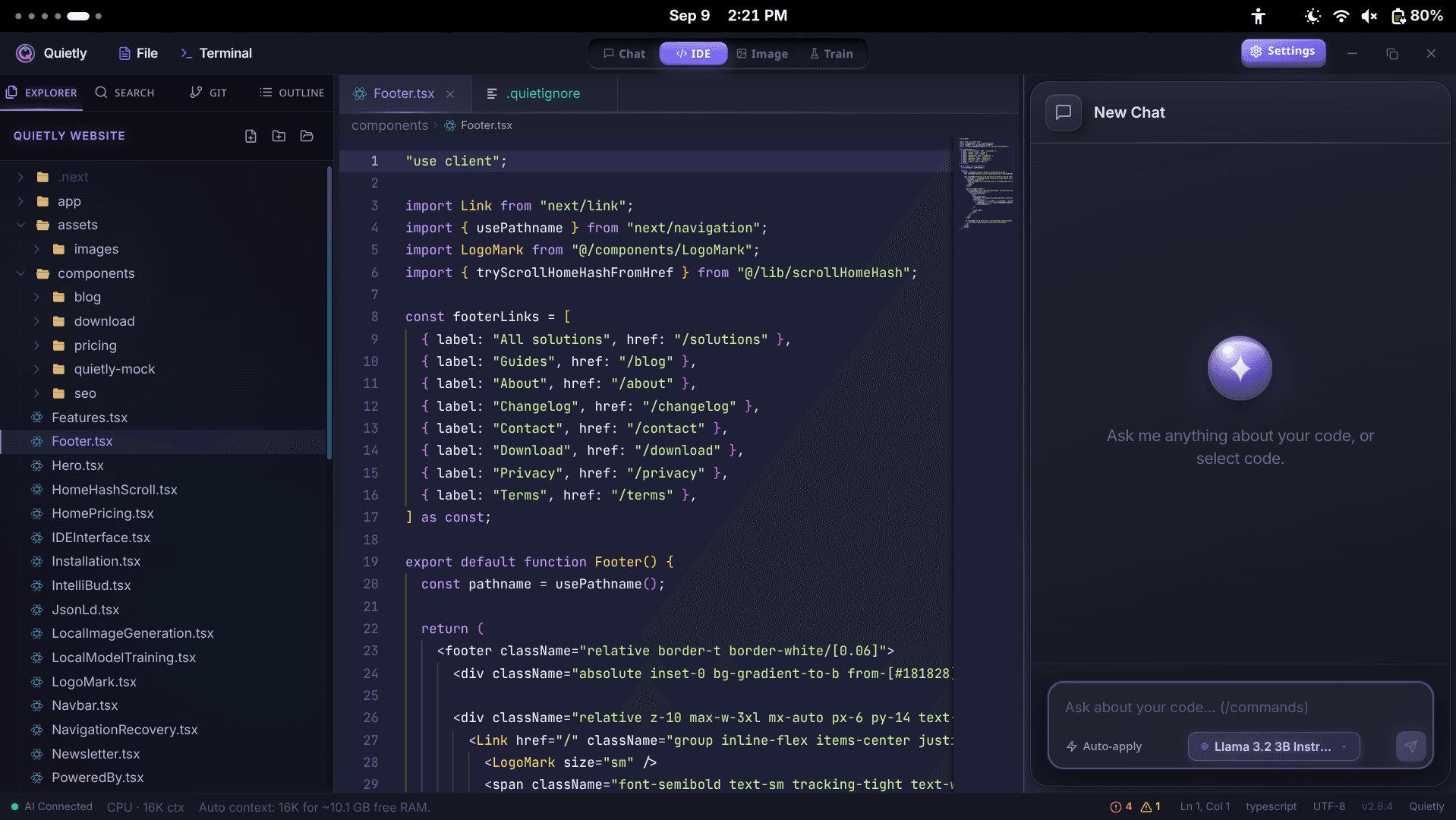
How Quietly recreates the workflow offline
Quietly is a desktop app for Windows, macOS, and Linux built around a Monaco-based editor (the same editor engine behind VS Code), an integrated terminal, and local AI engines. The pieces you rely on in Cursor all have an offline counterpart:
- Chat with context: ask about the open file, @mention other files, or add a selection with Ctrl+Shift+L. Ctrl+Shift+E explains a selection; Ctrl+Shift+R refactors it.
- Inline edit: select code, press Ctrl+K, type “Generate or Refactor code…”, and accept or reject the result in a diff preview (Ctrl+Enter accepts).
- Agent mode: the agent can read and search files, write and patch code, check git status and diffs, and run terminal commands. How much it does without asking depends on the permission mode you choose.
- Checkpoints: every agent turn can be rewound—files included—from the chat.
- Project Brain: a local search index of your repo (built with a bundled offline embedding model) so answers reference your real code instead of guessing.
- Project rules and memory: put team conventions in .quietly/rules.md and the agent follows them, like Cursor rules.
- Everyday IDE tools: git panel (stage, commit, pull, push, switch branch), Problems panel with “Add to Chat,” Prettier formatting, and language servers for TypeScript/JavaScript, Python, Rust, and Go.
- MCP tools: connect local MCP servers per project in .quietly/settings.json.
tip
Pick your safety level
In Settings → Inference, choose how much the agent may do on its own. Ask confirms every file edit. Accept edits (the default) applies edits automatically but still asks before terminal commands. Plan only explores until you approve a plan. Agent also runs safe project commands automatically.
The honest trade-offs
An offline IDE is not magic, and pretending otherwise just leads to disappointment. Here is where cloud tools still win:
Where each approach is stronger.
| Area | Cloud assistants win when… | Offline wins when… |
|---|---|---|
| Hard reasoning | You need the very strongest frontier model | A 7–14B coder is enough for the task (most daily work) |
| Autocomplete speed | You want instant suggestions on any laptop | You have a decent GPU or accept a slight delay |
| Ecosystem | You rely on the VS Code extension marketplace | You want a focused editor with AI built in |
| Privacy | Policy promises are acceptable | Code must physically never leave the machine |
| Cost over years | Your company pays per seat anyway | You want to pay once |
warning
Things Quietly does not do
Quietly is not a VS Code fork, so VS Code extensions do not install. It does not include a step-through debugger (its Launch panel starts Node or Python with an inspect port so you can attach an external debugger). And a local model will not match the biggest cloud models on the hardest problems.
What hardware you need for a good experience
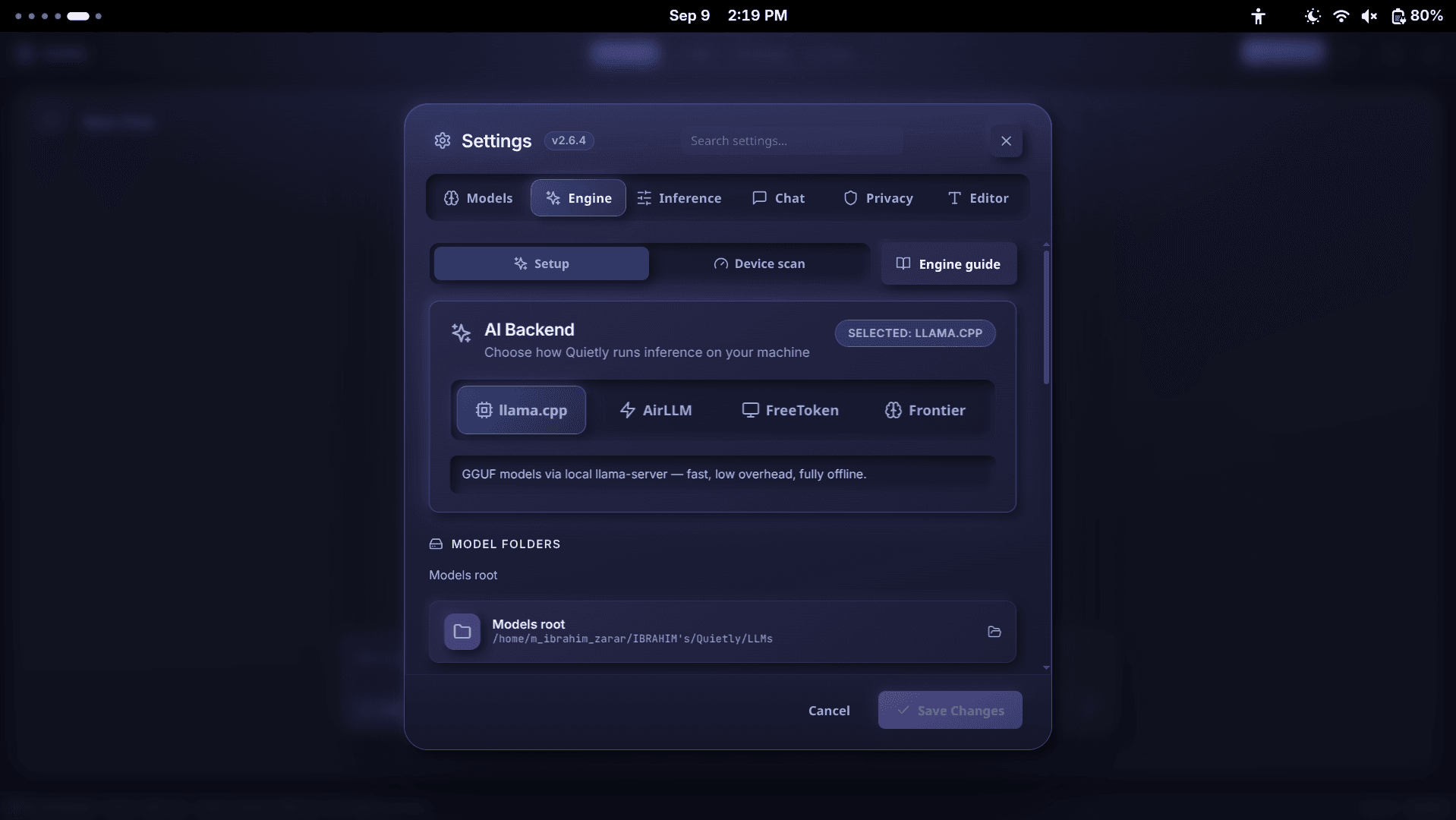
Rough guide. Quietly’s Device scan (Settings → Engine → Device scan) checks your exact machine.
| Your machine | Recommended model | What it feels like |
|---|---|---|
| 8 GB RAM, no GPU | 3–4B model (e.g. Qwen 2.5 Coder 3B, Llama 3.2 3B) | Explanations and small edits; slower agent work |
| 16 GB RAM or 8 GB GPU | 7B coder (e.g. Qwen 2.5 Coder 7B, DeepSeek Coder 6.7B) | Solid daily pair-programming |
| 16 GB GPU | 7–8B at high quality, or an imported 14B coder | Close to a cloud assistant for most tasks |
| 24 GB GPU | Imported 14–32B coder | Multi-file agent work and deeper reasoning |
For agent work, Quietly marks suitable models with an “Agent recommended” badge: coder models from about 6.7B up, or general models from about 14B up. Smaller models chat fine but often fumble tool calls. For detailed numbers, see our VRAM guide at quietlycode.org/blog/vram-guide-local-coding-models-8gb-16gb-24gb.
Switching from Cursor or Copilot in 15 minutes
- Get a license at quietlycode.org/pricing and download Quietly from quietlycode.org/download.
- First run: click Get Started, let Quietly auto-download the llama.cpp engine, and pick a starter model.
- Open Settings → Engine → Device scan and click “Scan my device.” Choose a model from “Best for your device” (look for the Agent recommended badge).
- Open your project folder. Quietly builds the Project Brain index in the background and adds .quietly/ to your .gitignore.
- Optional: turn on Settings → Editor → AI inline completions if your machine has headroom.
- Copy your Cursor rules into .quietly/rules.md.
- Do the airplane test: turn Wi‑Fi off and ask the agent to make a small change. If it works, you are fully offline.
note
Staying offline long-term
Quietly needs internet once to activate your license and download models. After that it re-checks the license about once a week. For machines that stay offline, turn on Air-Gap Mode in Settings → Privacy: it blocks all non-local traffic and skips the check.
FAQ
Is there a truly offline alternative to Cursor?
Yes. Quietly is a desktop AI IDE whose chat, inline edits, autocomplete, and agent all run on a local model. After a one-time setup it works with Wi‑Fi off, and your code never leaves your machine.
Can I get GitHub Copilot-style autocomplete offline?
Yes. Quietly offers ghost-text inline completions from your local model. It is off by default because it uses CPU/GPU continuously—turn it on in Settings → Editor → AI inline completions. It feels best on machines with a GPU.
Is a local model as good as Cursor’s cloud models?
Not on the very hardest problems. For daily work—explaining code, writing functions and tests, refactoring, and fixing bugs—a good 7–14B coder model is genuinely useful, and it is private, free to run, and always available.
Does Quietly support VS Code extensions?
No. Quietly is its own focused editor (built on the Monaco editor engine), not a VS Code fork. It includes the essentials—git, terminal, language servers for TypeScript, Python, Rust, and Go, formatting, and MCP tools.
How much does it cost compared with Cursor or Copilot?
Quietly is a $49 one-time license covering up to 3 of your devices, with a 7-day refund. There is no monthly subscription and no usage cap, because the AI runs on your own hardware.
Related guides
Comparison
LM Studio vs Ollama vs Quietly (2026): Which Local AI Tool Should You Use?
A plain-English comparison of LM Studio, Ollama, and Quietly in 2026: what each one is really for, who should pick which, and why many people end up using more than one.
Comparison
Offline AI Image Generation on Your PC: SDXL vs FLUX vs Sana (2026)
Generate AI images on your own computer with no internet, no credits, and no uploads. SDXL, FLUX.1 schnell, and SANA compared in plain English—what hardware each needs and which one to pick.
Comparison
Best Local Coding Models You Can Run Offline in 2026
A hardware-honest shortlist of open coding LLMs for offline IDEs: which model classes win for 8GB, 16GB, and 24GB, how to judge agent readiness, and how to load them in Quietly without cloud APIs.