AI for Journalists: How to Use It Without Exposing Your Sources
Your shield law protects you—not the copy of your notes sitting on an AI company’s servers. Why “we don’t train on your data” isn’t source protection, what the 2025–26 ChatGPT log orders showed, a threat-model table for reporters, and an offline workflow for transcripts, documents and travel.
Awareness · 9 min
AI for Journalists
Your shield law protects you—not the copy of your notes sitting on an AI company’s servers. Why “we don’t train on your data” isn’t source protection, what the 2025–26 ChatGPT log orders showed, a threat-model table for reporters, and an offline workflow for transcripts, documents and travel.
Definition
Source protection is keeping the identity of confidential sources—and anything that could reveal it—out of reach of people who want it. With AI tools, the key question isn’t whether a model trains on your notes. It’s whether a copy of those notes now exists somewhere you don’t control.
One newsroom-policy researcher put it bluntly: reporters should treat anything that goes into an AI chatbot as published. In a 2023 study of newsroom AI guidelines, about half warned journalists to protect sources when using these tools.
The reason isn’t that chatbots are malicious. It’s that legal protections for journalists are built around you—your notebook, your testimony. The moment a source’s name sits in a company’s logs, it’s a business record in someone else’s building.
You don’t have to give up AI to keep that line clear. You just have to keep it on your own machine.
The gap in reporter’s privilege
Shield laws and reporter’s privilege vary by country and state, but they share a shape: they make it harder to force a journalist to reveal sources. They say much less about records held by a third party—a phone company, an email provider, or an AI company.
Where protection is strongest, and where it thins out.
| Where the information is | Who a subpoena or order goes to | How much your privilege helps |
|---|---|---|
| Your head | You | Most |
| Your own notebook or encrypted laptop | You or your newsroom | Strong—you can fight it and you know it’s happening |
| A cloud service’s logs | The company | Weaker—you may not even be told |
note
“Deleted” is a policy, not a fact
In May 2025 a US court ordered OpenAI to preserve ChatGPT logs that would otherwise have been deleted, as part of the New York Times’ copyright case. Users in that dataset had nothing to do with the lawsuit. Whatever a provider’s deletion promise, a court order can override it.
A quick threat model for reporters
Who might want your material, and how AI changes the risk.
| Who wants it | Cloud chatbot risk | Local AI risk |
|---|---|---|
| A subject you’re investigating | Could seek records from the AI company in litigation | Must come to you—where your privilege applies |
| Law enforcement | Can request data from the provider | Needs your device, usually with a warrant you’ll know about |
| Border officials | Your history may sync to a signed-in device | Data is only on the laptop—encrypt it and delete what you don’t need |
| Hackers or insiders | One more company holding your notes | One fewer |
| Your source’s employer | Uploaded documents can carry identifying details | Nothing leaves your machine |
Reporting jobs local AI handles well
Good offline tasks for a model on your laptop.
| Job | How | Tip |
|---|---|---|
| Making sense of a document dump | Paste sections and ask for names, dates and claims as a table | Work in chunks; check every extracted fact against the source |
| Cleaning an interview transcript | Paste your transcript, ask it to fix punctuation and mark unclear parts | Never let it “improve” quotes—keep the original wording |
| Preparing for an interview | Describe the story, ask for questions you haven’t thought of | Use initials, not names, even locally |
| Translating notes | Paste text, ask for a literal translation first | Get native speakers to check anything you’ll publish |
| Headlines and summaries | Paste your draft, ask for five options | Your editor still decides |
warning
AI is not a fact-checker
Models make up quotes, dates and sources. Treat everything an AI tells you as a lead to verify, never as a fact to publish.
Travelling with sensitive material
- Download the model before you leave. Local AI works on a plane, in a hotel, or anywhere the network is watched or unreliable.
- Turn on full-disk encryption and shut the laptop down (not just sleep) before crossing a border.
- Delete chats you no longer need. Quietly stores conversations as ordinary files on your disk; there’s no hidden cloud copy to forget about.
- Keep your AI tool signed out of everything. A local app needs no account with an AI provider.
Setting up Quietly for reporting work
- Install Quietly and download a general chat model while you’re on a trusted network.
- Turn on Air-Gap Mode (Settings → Privacy). Every request that isn’t to your own computer is blocked, and the Security Feed shows anything it stopped—useful if you ever need to show your setup to an editor or lawyer.
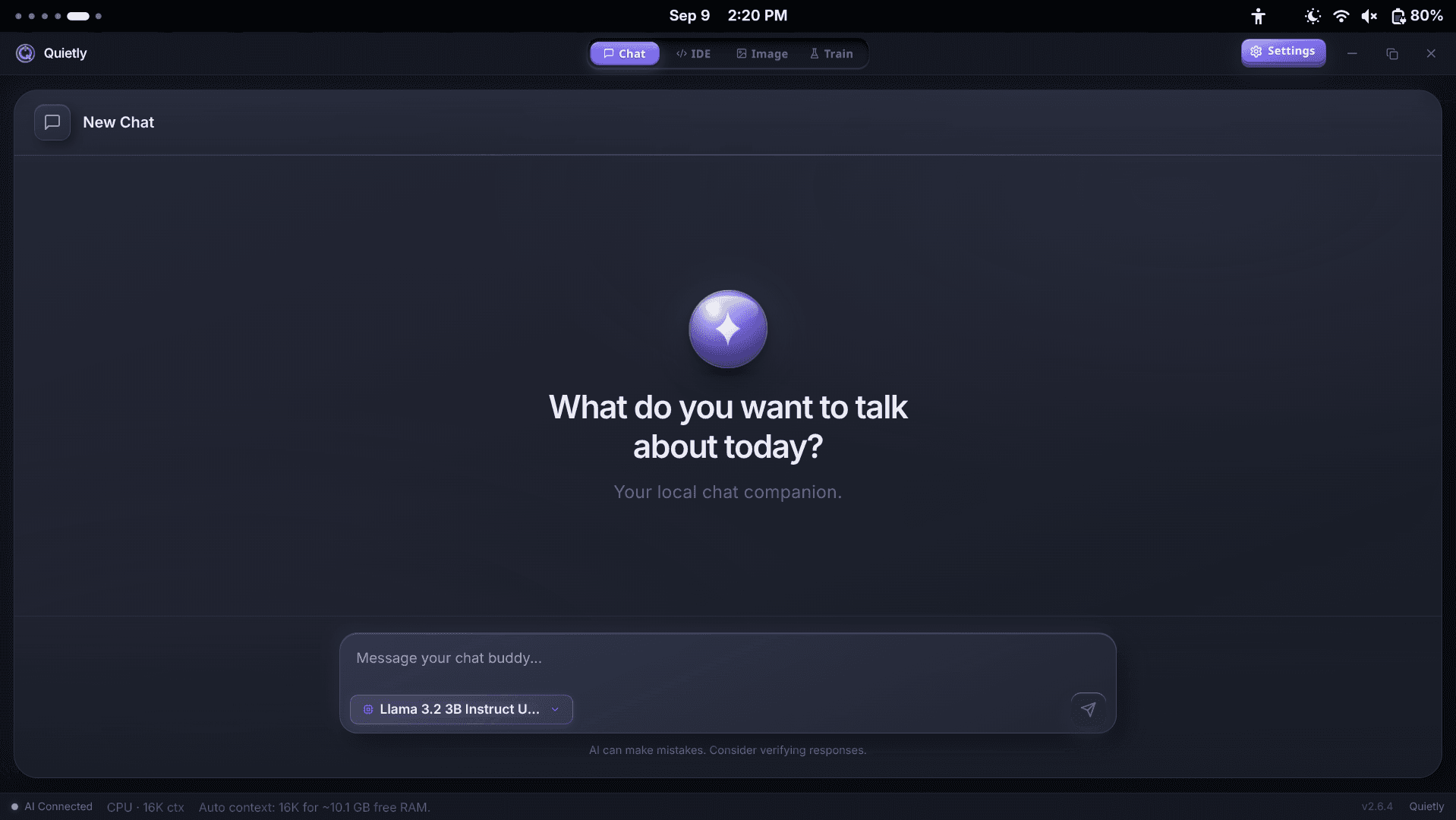
- Use the standalone Chat workspace and paste text in. Chat attachments are images only, so copy text out of PDFs first.
- Keep one chat per story and delete it when the story is filed.
warning
Your laptop is now the vault
Quietly doesn’t add its own encryption to saved chats. Full-disk encryption (BitLocker, FileVault or LUKS), a strong password and a short screen-lock timer are what protect your sources if the device is lost or seized.
Where Quietly fits
FAQ
Can a journalist’s AI prompts be subpoenaed?
If they’re stored by an AI company, a party in litigation or a government can seek them from that company—often a weaker position for you than a demand made directly to you. Prompts processed by a model on your own computer stay with you.
Does “we don’t train on your data” protect my sources?
No. Training is a separate issue. What matters for source protection is whether a copy of your notes exists on someone else’s servers, for how long, and who can be ordered to hand it over.
Is it safe to put a source’s name into ChatGPT?
It moves that name onto a third party’s systems, outside your direct control. Many newsroom AI policies tell journalists not to. Use a local model, or leave identifying details out altogether.
Can I use AI offline while travelling?
Yes. Download a model to your laptop before you leave and it works with no internet. Combine it with full-disk encryption and delete chats you no longer need.
Does Quietly keep a cloud copy of my chats?
No. Chats are processed by a model on your machine and saved as files on your own disk. Quietly has no cloud chat history, and Air-Gap Mode blocks every outbound request.
Sources
- Newsroom AI guidelines and source protection — The Journalist’s Resource
- Could journalists’ AI prompts be subpoenaed? An interview with David J. Bodney — Howard Center, Arizona State University
- OpenAI v. New York Times: can your ChatGPT logs be subpoenaed? — Terms.law
Related guides
Awareness
Local AI for Lawyers: Using AI Without Breaking Client Confidentiality (2026)
In February 2026 a federal judge ruled that a defendant’s chats with a consumer AI weren’t privileged—partly because the provider’s policy let it keep and disclose them. What ABA Opinion 512 asks of lawyers, where a prompt actually travels, and how to use AI on client matters without the data ever leaving your machine.
Awareness
Local AI for Therapists: Writing Session Notes Without Sending Them to the Cloud
AI note tools save clinicians hours, but most send session content to a vendor’s servers. What HIPAA and the APA’s 2025 guidance expect, why psychotherapy notes get extra protection, and a step-by-step way to draft progress notes with a model that never leaves your computer.
Awareness
ChatGPT Offline Alternative for Non-Developers (Private Local Chat)
A practical ChatGPT offline alternative for students, writers, and professionals: private on-device chat without coding, what hardware you need, and how Quietly Chat keeps prompts off the cloud.