Local AI for Therapists: Writing Session Notes Without Sending Them to the Cloud
AI note tools save clinicians hours, but most send session content to a vendor’s servers. What HIPAA and the APA’s 2025 guidance expect, why psychotherapy notes get extra protection, and a step-by-step way to draft progress notes with a model that never leaves your computer.
Awareness · 10 min
Local AI for Therapists
AI note tools save clinicians hours, but most send session content to a vendor’s servers. What HIPAA and the APA’s 2025 guidance expect, why psychotherapy notes get extra protection, and a step-by-step way to draft progress notes with a model that never leaves your computer.
Definition
A local AI note assistant is a language model that runs on your own computer. You type or paste your rough session notes, it drafts a structured progress note, and the text never travels to a vendor’s servers—so there is no third party holding your clients’ health information.
Documentation is the part of clinical work almost nobody went into the field for. AI scribes promise to give those evenings back, and many clinicians now use them.
Most of those tools work by sending session content—sometimes full audio—to a company’s servers. That can be done lawfully, with the right contract and safeguards. But it adds another organisation that holds some of the most sensitive information a person can share.
There is a simpler option for many practices: draft notes with a model that runs entirely on your own computer. This guide explains the rules in plain English and gives you a workflow you can start this week. It’s general information, not legal or clinical advice.
The rules, in plain English
What matters when AI touches clinical documentation (US).
| Rule or guidance | What it means for AI notes |
|---|---|
| HIPAA business associates | A vendor that receives or stores your clients’ health information must sign a Business Associate Agreement (BAA). Consumer chatbots generally don’t. |
| Psychotherapy notes (45 CFR 164.501) | Your private notes analysing a session get extra protection—but only while kept separate from the main record. |
| APA ethical guidance on AI (June 2025) | Tell clients you use AI, explain how their data flows and who the vendors are, and stay responsible for every word in the record. |
| Minimum necessary | Share only what a task needs—even inside your own systems. |
note
There is no “HIPAA certified” software
The US government doesn’t certify products as HIPAA compliant. Compliance is about how you use a tool: who receives the data, what agreements are in place, and how it’s protected. Treat any “HIPAA certified” badge as marketing.
Why local changes the picture
The BAA question exists because a vendor receives your clients’ information. When the model runs on your own laptop and nothing is sent anywhere, the software company never receives, stores or sees that information. Software you run yourself without the vendor touching your data is generally treated like a word processor, not a business associate.
Cloud AI scribe vs local drafting.
| Typical cloud AI scribe | Local model on your computer | |
|---|---|---|
| Where session content goes | Vendor servers | Stays on your device |
| BAA needed | Yes | Generally no—the vendor never receives PHI |
| Records audio | Often | No—you write or paste your own notes |
| Works offline | No | Yes |
| Your responsibility | Vendor due diligence, consent, review | Device security, consent, review |
warning
Local doesn’t mean “no rules”
Your own devices still have to meet HIPAA’s security expectations: encryption, strong passwords, screen locks and sensible retention. And the APA’s guidance on telling clients about AI use applies whatever tool you choose. Check with your licensing board and your organisation’s compliance lead.
A five-minute note workflow
- Right after the session, jot rough bullets: themes, interventions, client response, risk assessment, plan. Use initials or no names at all.
- Paste the bullets into a local chat with your note template (see below).
- Read the draft carefully. Correct anything that isn’t exactly what happened—the model can smooth over nuance or add confident-sounding detail.
- Copy the final note into your EHR.
- Delete the chat, or keep it only as long as your retention policy allows.
A reusable prompt (plain text) — swap in your own format
You help a licensed therapist write progress notes.
Use only the facts in my bullets. Do not add symptoms, quotes,
diagnoses or interventions I did not mention. If something is
missing, write [CLINICIAN TO COMPLETE].

Format: DAP (Data, Assessment, Plan). Professional, concise,
behavioural language. Under 200 words.

My bullets:
- ...
tip
Keep psychotherapy notes separate
If you keep private process notes that analyse the session, keep them out of the progress note and out of the EHR. Mixing the two can lose the extra protection HIPAA gives psychotherapy notes. A local tool makes it easy: use a separate chat for each, and delete as you go.
What not to use AI for
- Risk decisions. Suicide and safety assessments are your clinical judgement. AI can format what you decided, not decide it.
- Diagnosis. Don’t ask a model to diagnose from notes; if you use it to check criteria wording, verify against the DSM yourself.
- Anything you haven’t read. Never paste an AI draft into the record unreviewed.
- Recording sessions you haven’t got clear consent for.
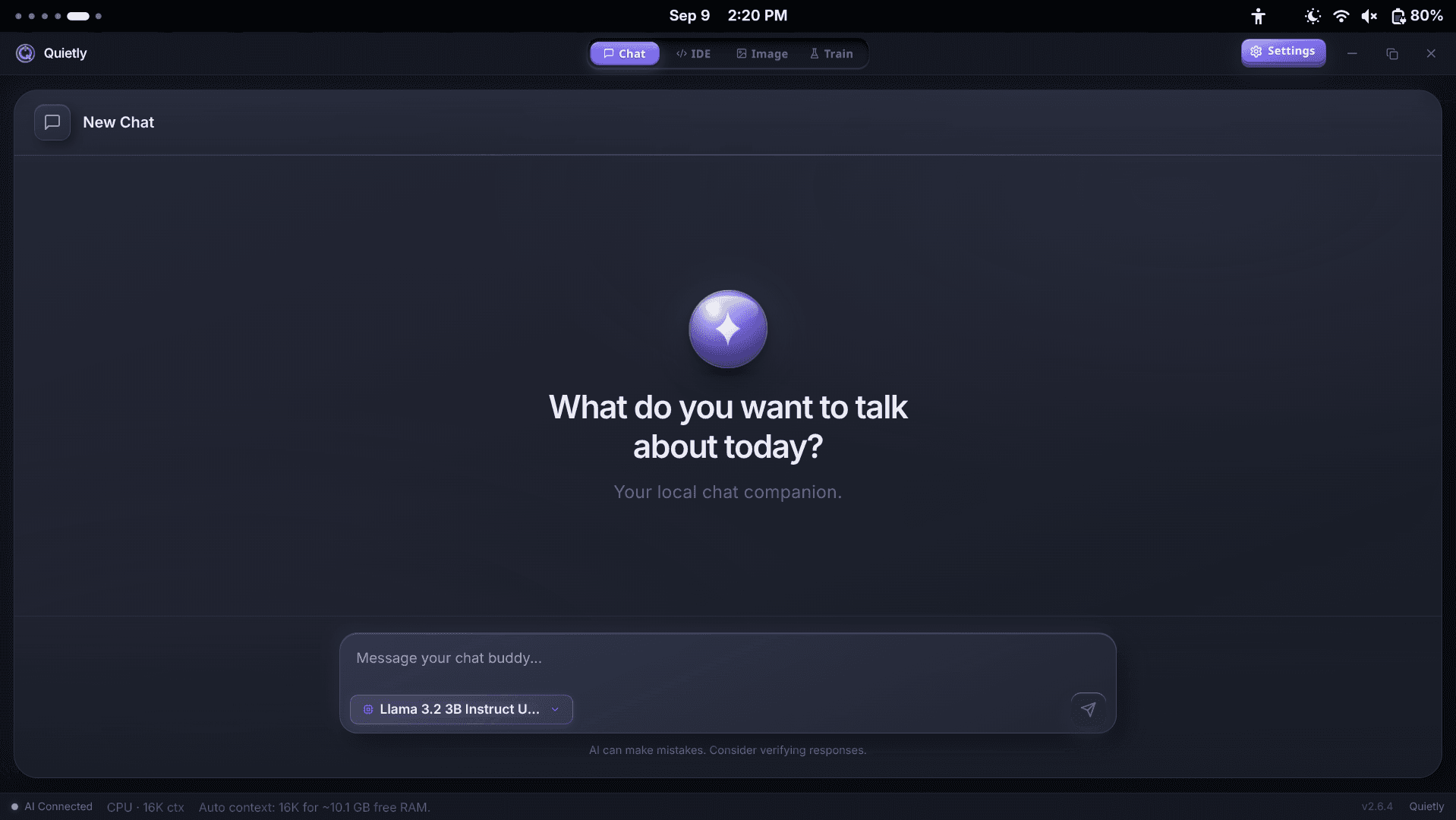
Setting up Quietly for clinical notes
- Install Quietly and download a small general chat model while online. A 3–8B model is plenty for formatting notes, and runs on most laptops.
- Turn on Air-Gap Mode (Settings → Privacy) so the app refuses every request that isn’t to your own computer.
- Use the standalone Chat workspace. There’s no AI-service login, and nothing goes to the cloud.
- Delete note chats once the final note is in your EHR.
warning
Encrypt the computer
Quietly saves conversations as ordinary files on your disk and doesn’t add its own encryption. Turn on full-disk encryption (BitLocker, FileVault or LUKS), use a strong password, and set your screen to lock quickly. That is what keeps notes safe if a laptop is lost or stolen.
Telling clients, in one paragraph
The APA asks clinicians to explain AI use, how data flows and which vendors are involved. With a local tool, that explanation is short and reassuring:
Sample consent wording (plain text) — adapt with your compliance lead
I sometimes use an AI writing tool to help format my session
notes. It runs only on my own encrypted computer: your
information is not sent to any AI company or stored online.
I write and review every note myself. You can ask me not to
use it for your notes at any time.
Where Quietly fits
FAQ
Is it HIPAA compliant to use ChatGPT for therapy notes?
Using a consumer chatbot with identifiable client information is risky because the provider receives that information and generally won’t sign a Business Associate Agreement. Some business plans offer BAAs; check carefully. A model that runs only on your own computer avoids sending the data to a vendor at all.
Do I need a BAA for software that runs on my own computer?
Generally not, if the software company never receives, stores or can access your clients’ information. You remain responsible for securing your own devices. Confirm with your compliance advisor for your setup.
What are psychotherapy notes under HIPAA?
A clinician’s notes documenting or analysing the contents of a counselling session, kept separate from the rest of the record. They get extra protection, but only while they stay separate. Medication, test results and summaries of diagnosis, symptoms and progress are not psychotherapy notes.
What does the APA say about AI in practice?
Its June 2025 ethical guidance asks psychologists to get informed consent, explain how AI tools and their data flows work, evaluate privacy and security, and stay responsible for the accuracy of the final record.
Can Quietly record or transcribe sessions?
No. Quietly’s chat works with text you type or paste. You write your own session bullets, and the model drafts a structured note from them on your computer.
Sources
- HIPAA psychotherapy notes and other mental health records — Holland & Hart
- Psychotherapy notes and HIPAA (resource document) — American Psychiatric Association
- Navigating the APA’s AI ethical guidance — Videra Health
- ACA and APA guidance for the use of AI for therapists — Blueprint
Related guides
Awareness
Local AI for Lawyers: Using AI Without Breaking Client Confidentiality (2026)
In February 2026 a federal judge ruled that a defendant’s chats with a consumer AI weren’t privileged—partly because the provider’s policy let it keep and disclose them. What ABA Opinion 512 asks of lawyers, where a prompt actually travels, and how to use AI on client matters without the data ever leaving your machine.
Awareness
AI for Journalists: How to Use It Without Exposing Your Sources
Your shield law protects you—not the copy of your notes sitting on an AI company’s servers. Why “we don’t train on your data” isn’t source protection, what the 2025–26 ChatGPT log orders showed, a threat-model table for reporters, and an offline workflow for transcripts, documents and travel.
Awareness
The EU AI Act After August 2026: What Actually Applies to Developers (Post-Omnibus Guide)
August 2, 2026 was meant to be the AI Act’s big day—then the Digital Omnibus moved the high-risk rules to 2027 and 2028 and softened AI literacy. What applies now, which “hat” you wear when you use or ship AI, the transparency duties that did start, and where running AI locally helps (and where it doesn’t).