Local AI for Lawyers: Using AI Without Breaking Client Confidentiality (2026)
In February 2026 a federal judge ruled that a defendant’s chats with a consumer AI weren’t privileged—partly because the provider’s policy let it keep and disclose them. What ABA Opinion 512 asks of lawyers, where a prompt actually travels, and how to use AI on client matters without the data ever leaving your machine.
Awareness · 10 min
Local AI for Lawyers
In February 2026 a federal judge ruled that a defendant’s chats with a consumer AI weren’t privileged—partly because the provider’s policy let it keep and disclose them. What ABA Opinion 512 asks of lawyers, where a prompt actually travels, and how to use AI on client matters without the data ever leaving your machine.
Definition
Local AI means the language model runs on your own computer. Your prompts, the client facts inside them and the model’s answers are processed and stored on that machine—not sent to an AI company’s servers, where they could be logged, retained, reviewed or demanded in someone else’s lawsuit.
Most lawyers who avoid AI aren’t afraid of the technology. They’re afraid of one question from a client: “Where did my information go?”
2026 made that question sharper. In United States v. Heppner, a federal judge held that a defendant’s conversations with a consumer AI chatbot were protected by neither attorney–client privilege nor the work-product doctrine. And in the New York Times’ case against OpenAI, a court ordered millions of ChatGPT logs preserved and handed over in discovery.
This guide explains what the ethics rules actually ask, where a prompt goes in cloud and local tools, and a practical way to get AI’s help on client work without the data leaving your desk. It’s general information, not legal advice—check your own jurisdiction’s rules.
What Heppner decided, in plain English
Bradley Heppner, under investigation for securities fraud, used the consumer version of an AI chatbot to think through his situation and possible defences—on his own, without his lawyers. The FBI later seized the documents. On February 10, 2026, Judge Jed Rakoff of the Southern District of New York ruled that about thirty-one of them were not protected.
The court’s main reasons, simplified.
| Reason | What it means for you |
|---|---|
| An AI is not a lawyer | Talking to a chatbot can’t create an attorney–client relationship |
| No reasonable expectation of confidentiality | The provider’s policy allowed it to collect, use and disclose user inputs and outputs |
| Sharing with a third party | Putting privileged advice into a public AI tool can count as disclosure |
| Not prepared at counsel’s direction | Material created on the client’s own initiative isn’t work product just because a lawyer reads it later |
note
Why the confidentiality point matters most
The second reason turned on a company’s privacy policy—a document you don’t control and which can change. When the AI runs on your own machine, there’s no third party whose terms decide whether your client’s words stay confidential.
What the ethics rules actually ask
The American Bar Association’s Formal Opinion 512 (July 2024) is the national reference point, and state bars—including Florida (Opinion 24-1) and Texas (Opinion 705)—have issued similar guidance. The themes are consistent:
- Competence: understand, at a reasonable level, how the tool works and what it does with your inputs.
- Confidentiality: know whether the tool stores, reuses or could reveal client information before you type any of it in.
- Informed consent: for tools that can retain or learn from inputs, Opinion 512 says lawyers should get the client’s informed consent—and a boilerplate line in an engagement letter isn’t enough.
- Verification: you are responsible for every word you file. Check every citation and quotation yourself.
- Billing: charge for the time you actually spent, not the time the task “would have taken”.
tip
Where local AI changes the analysis
Much of the consent concern comes from tools that keep or learn from your prompts. A model on your own computer doesn’t send prompts anywhere or train on them. That removes the main risk the opinions describe—though you should still follow your bar’s guidance on telling clients how you use AI.
Where a prompt goes: cloud vs local
Following one prompt containing client facts.
| Step | Consumer cloud chatbot | Local AI on your laptop |
|---|---|---|
| Typed | Sent over the internet to the provider | Stays in memory on your machine |
| Processed | On the provider’s servers | On your own processor or GPU |
| Stored | In the provider’s logs, under its retention rules | In a file on your own disk |
| Can be reviewed by | Provider staff and systems, under its policy | Whoever can access your computer |
| Can be demanded from | The provider, by subpoena or court order—including in cases you’re not part of | You, through ordinary discovery you already know how to handle |
| “Deleted” means | Whatever the provider’s policy—and any court order—says | Deleted from your disk |
The last row isn’t hypothetical. In May 2025 a court in the New York Times’ copyright case ordered OpenAI to preserve ChatGPT output logs that would otherwise have been deleted, and in January 2026 a judge upheld an order to produce 20 million de-identified logs. Users of those conversations had nothing to do with the case.
Practical work local AI does well
Good fits for a local model, and what to watch.
| Task | How to do it | Watch out for |
|---|---|---|
| First drafts of letters and clauses | Paste your facts and a sample clause, ask for a draft in that style | Read every line—it’s a draft, not advice |
| Summarising a long excerpt | Paste a deposition section or contract, ask for a neutral summary with page references | Very long documents may exceed the model’s context; work in sections |
| Issue spotting | Describe the facts, ask “what questions should I be asking?” | Treat it as a brainstorm, not research |
| Plain-English explanations for clients | Paste your technical explanation and ask for a version a client will understand | Check nothing was simplified into inaccuracy |
| Tone and clarity edits | Paste a paragraph, ask for a firmer or calmer version | Keep your own judgement on strategy |
warning
Never use it as a legal research database
Language models invent case names and citations—lawyers have been sanctioned for filing them, most famously in Mata v. Avianca (2023). Smaller local models are no better at this than cloud ones. Use AI to draft and organise; use your research tools for law.
Setting up Quietly for client work
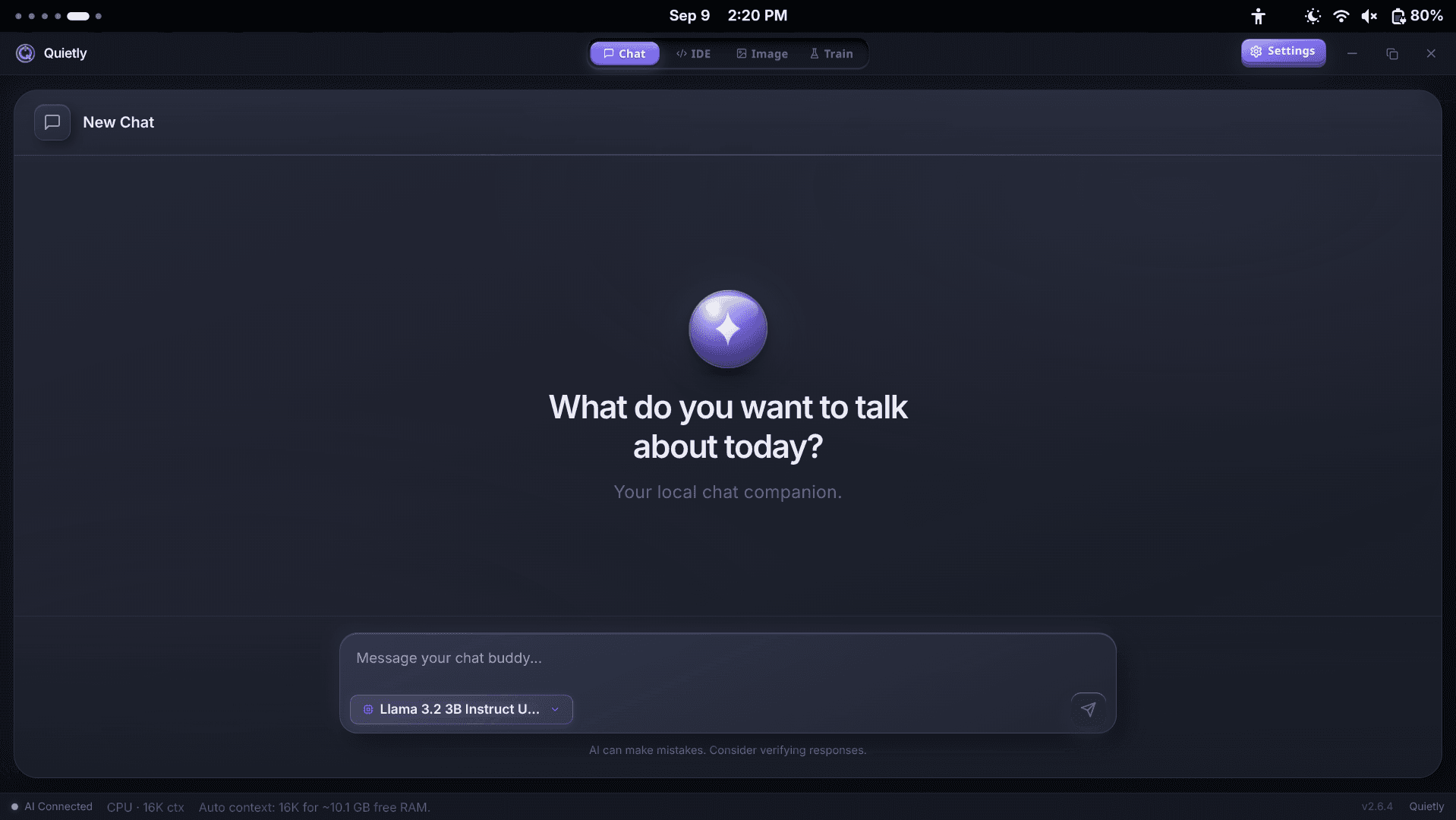
- Install Quietly and download one general chat model while you’re online. Our laptop guide helps you pick one that fits.
- Turn on Air-Gap Mode (Settings → Privacy). It blocks every request that isn’t to your own computer, and the Security Feed lists anything it stopped.
- Use the standalone Chat workspace and paste the text you want to work on. Chat attachments are images only, so copy text out of PDFs and Word files.
- Keep one conversation per matter, and delete it when the work is done or under your retention policy.
warning
Protect the machine, not just the model
Quietly stores conversations as ordinary files on your computer and does not add its own encryption. Turn on full-disk encryption (BitLocker on Windows, FileVault on macOS, LUKS on Linux), use a strong login password, and lock your screen. Local AI moves the confidentiality question to your own device—so secure the device.
A one-page AI policy for a small firm
Adapt this to your jurisdiction and practice (plain text)
1. Client information is only used with AI tools that run on firm-controlled devices.
2. Consumer cloud chatbots are not used for any matter-related information.
3. AI output is a draft. A lawyer reviews every word and verifies every citation.
4. Firm laptops use full-disk encryption and lock after 5 minutes.
5. AI conversations follow the same retention schedule as the matter file.
6. We tell clients, in plain language, how we use AI on their matters.
Where Quietly fits
FAQ
Are my AI chats protected by attorney–client privilege?
Not automatically. In United States v. Heppner (S.D.N.Y., February 2026), a defendant’s chats with a consumer AI were held not privileged and not work product, partly because the provider’s policy allowed it to collect and disclose user data. How courts treat lawyers’ own use of AI is still developing.
What does ABA Formal Opinion 512 require?
That lawyers understand the AI tools they use, protect client confidentiality, obtain informed client consent before putting client information into tools that can retain or learn from it, verify all output, and bill fairly. Boilerplate consent in an engagement letter is not enough.
Is local AI safe for confidential client information?
It removes the biggest risk—sending the information to a third party—because prompts are processed and stored on your own computer. You still need to secure that computer with full-disk encryption, a strong password and a retention policy.
Can a local AI do legal research?
No. Like cloud models, local models can invent cases and citations. Use them for drafting, summarising and organising, and use proper research tools for the law itself.
Does Quietly send my chats anywhere?
No. Chat runs on a model on your machine and conversations are saved as files on your disk. With Air-Gap Mode on, Quietly blocks every network request that isn’t to your own computer.
Sources
- Court Rules AI Conversations Are Not Privileged: What United States v. Heppner Means for You — Orrick
- Generative AI and lawyers, part 2: maintaining confidentiality — American Bar Association
- Texas Opinion 705: generative AI in the practice of law — Ezel
- State Bars are Issuing Generative AI Guidance — Epiq
- OpenAI v. New York Times: can your ChatGPT logs be subpoenaed? — Terms.law
- OpenAI kept 20 million ChatGPT chats — MemX
Related guides
Awareness
Local AI for Therapists: Writing Session Notes Without Sending Them to the Cloud
AI note tools save clinicians hours, but most send session content to a vendor’s servers. What HIPAA and the APA’s 2025 guidance expect, why psychotherapy notes get extra protection, and a step-by-step way to draft progress notes with a model that never leaves your computer.
Awareness
AI for Journalists: How to Use It Without Exposing Your Sources
Your shield law protects you—not the copy of your notes sitting on an AI company’s servers. Why “we don’t train on your data” isn’t source protection, what the 2025–26 ChatGPT log orders showed, a threat-model table for reporters, and an offline workflow for transcripts, documents and travel.
Awareness
The EU AI Act After August 2026: What Actually Applies to Developers (Post-Omnibus Guide)
August 2, 2026 was meant to be the AI Act’s big day—then the Digital Omnibus moved the high-risk rules to 2027 and 2028 and softened AI literacy. What applies now, which “hat” you wear when you use or ship AI, the transparency duties that did start, and where running AI locally helps (and where it doesn’t).