ChatGPT Offline Alternative for Non-Developers (Private Local Chat)
A practical ChatGPT offline alternative for students, writers, and professionals: private on-device chat without coding, what hardware you need, and how Quietly Chat keeps prompts off the cloud.
Awareness · 11 min
ChatGPT Offline Alternative for Non-Developers (Private…
A practical ChatGPT offline alternative for students, writers, and professionals: private on-device chat without coding, what hardware you need, and how Quietly Chat keeps prompts off the cloud.
Definition
A ChatGPT offline alternative is a desktop chat app that runs a language model on your computer so everyday questions, drafting, and learning stay private—and keep working when you are offline—without requiring you to write software.
You do not need to be a programmer to care where your AI conversations go. Journals, client notes, lesson plans, health questions, business drafts—people paste sensitive text into browser chatbots every day because it is convenient.
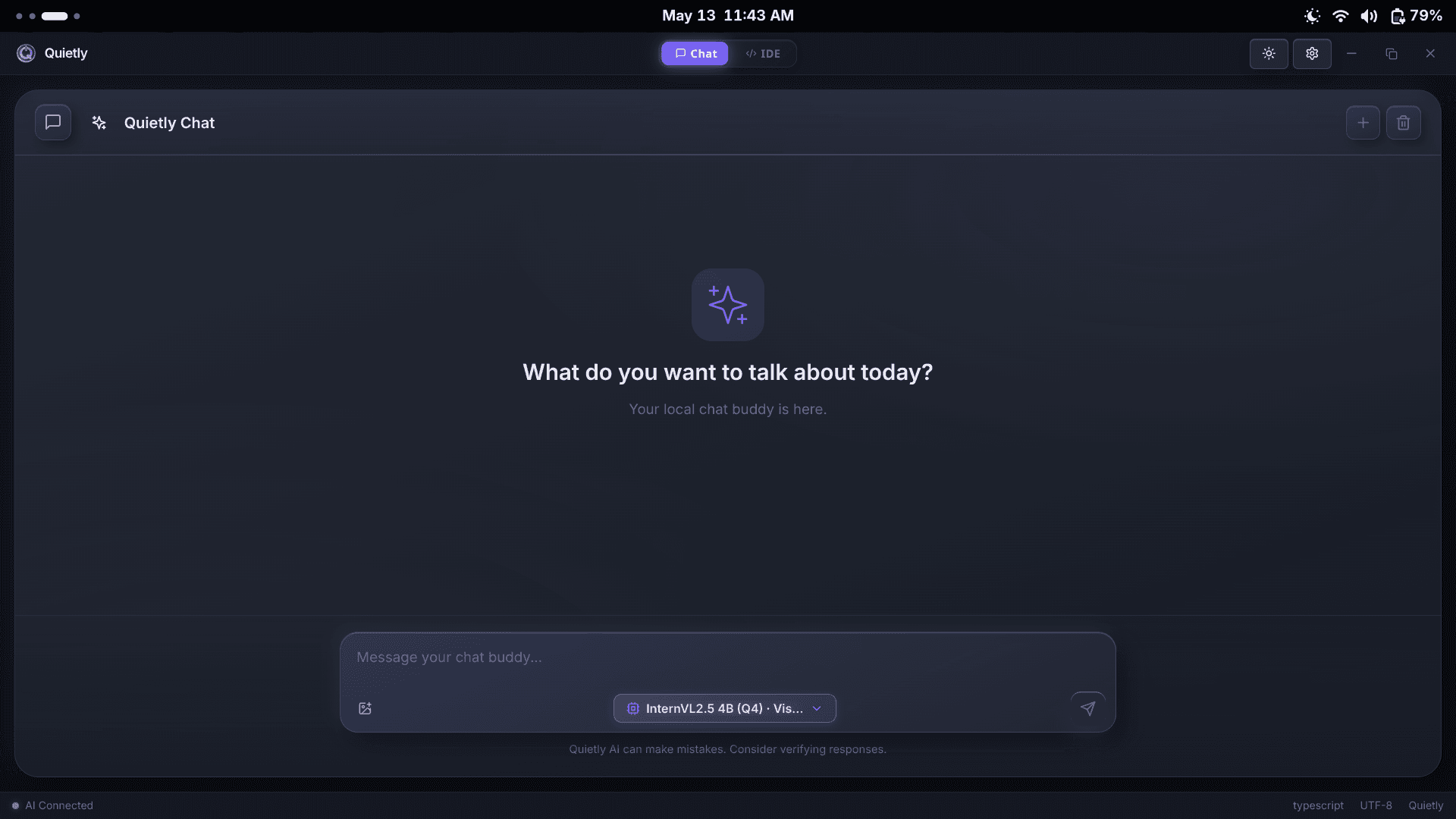
An offline ChatGPT-style alternative flips the default: after you install an app and download a model once, chat happens on your device. No coding workflow required. Quietly Chat is built for that audience first—not as a buried side panel inside an IDE.
This guide is for students, writers, researchers, freelancers, and professionals who want private AI help. If you later want coding features, they exist in the same Quietly app—but you can ignore them completely.
Who this guide is for (and who can skip it)
Match your situation to the right path.
| You are… | You want… | Read this guide? |
|---|---|---|
| Student / learner | Private tutoring-style Q&A offline | Yes — primary audience |
| Writer / marketer | Drafts that never hit a public chatbot | Yes |
| Consultant / freelancer | Client-safe brainstorming on a laptop | Yes |
| Parent / professional | Personal questions without cloud logs | Yes |
| Software engineer only | Repo agents + RAG + terminal | Skim; see IDE guides instead |
note
Different from our technical offline-chat deep dive
Quietly also publishes a more technical “what is offline AI chat” guide. This page focuses on non-developer decisions: privacy, everyday tasks, hardware in plain English, and getting started without a terminal.
Why people leave browser ChatGPT (even if they like it)
- Privacy: personal or client text should not become someone else’s server log by default.
- Workplace rules: many companies forbid pasting confidential material into public AI sites.
- Travel: planes, trains, and dead zones still need a thinking partner.
- Cost calm: heavy daily use without watching message caps or seat fees.
- Ownership: you choose when to update the model file—your assistant does not vanish behind a login outage.
warning
Incognito is not offline
Private browsing stops local history in your browser. It does not keep prompts on your laptop. A true offline alternative runs the model on-device after download.
Expectation setting vs hosted ChatGPT-class bots.
| Expectation | Hosted chatbot | Quietly Chat (offline) |
|---|---|---|
| Setup | Account + browser | Install app + download model once |
| Internet for each reply | Required | Not required after setup |
| Newest mega-models | Often first | Open models that fit your PC |
| Best reason to switch | Convenience | Privacy + offline reliability |
| Coding required? | No | No for Chat |
Everyday jobs offline chat does well
Think “private desk assistant,” not “autonomous employee.” Offline models shine when you bring clear questions and your own notes.
- Explain a topic in simpler language, then quiz you with follow-ups.
- Outline essays, newsletters, talks, or lesson plans from bullet notes.
- Rewrite tone: more formal, shorter, kinder, clearer—without uploading the draft to the web.
- Brainstorm names, angles, interview questions, or decision criteria.
- Summarize meeting notes you paste from a local document.
- Practice languages or interview answers privately on a commute (downloaded model + airplane mode).
tip
The 3-message habit
Message 1: goal + audience. Message 2: paste only the necessary notes. Message 3: “Give me 3 options and recommend one.” Short loops beat giant one-shot dumps—especially on laptops.
Hardware in plain English (no GPU jargon required)
You do not need a gaming PC. You do need honest expectations: smaller models chat faster on everyday laptops; larger models need more memory.
Non-developer friendly sizing.
| Your computer | Start with | Feel |
|---|---|---|
| Normal laptop (8–16GB RAM) | Smaller chat model | Good for Q&A and drafts |
| Newer laptop / desktop with stronger graphics memory | Medium chat model | Snappier, longer chats |
| High-memory workstation | Larger model if you want | Closer to “heavy” assistants |
note
If it feels slow, shrink the model—not your privacy goals
A fast small model you enjoy daily beats a huge model that freezes the fan every reply. Quietly’s Model Hub lets you download a different size without changing apps.
Power users can read Quietly’s VRAM guide for exact 8GB/16GB/24GB tables. Non-developers can ignore that page until curiosity hits.
Get started with Quietly Chat in five steps
- Go to quietlycode.org/download and install Quietly for Windows, macOS, or Linux.
- Complete the first-run setup so the local engine and a chat-capable model download.
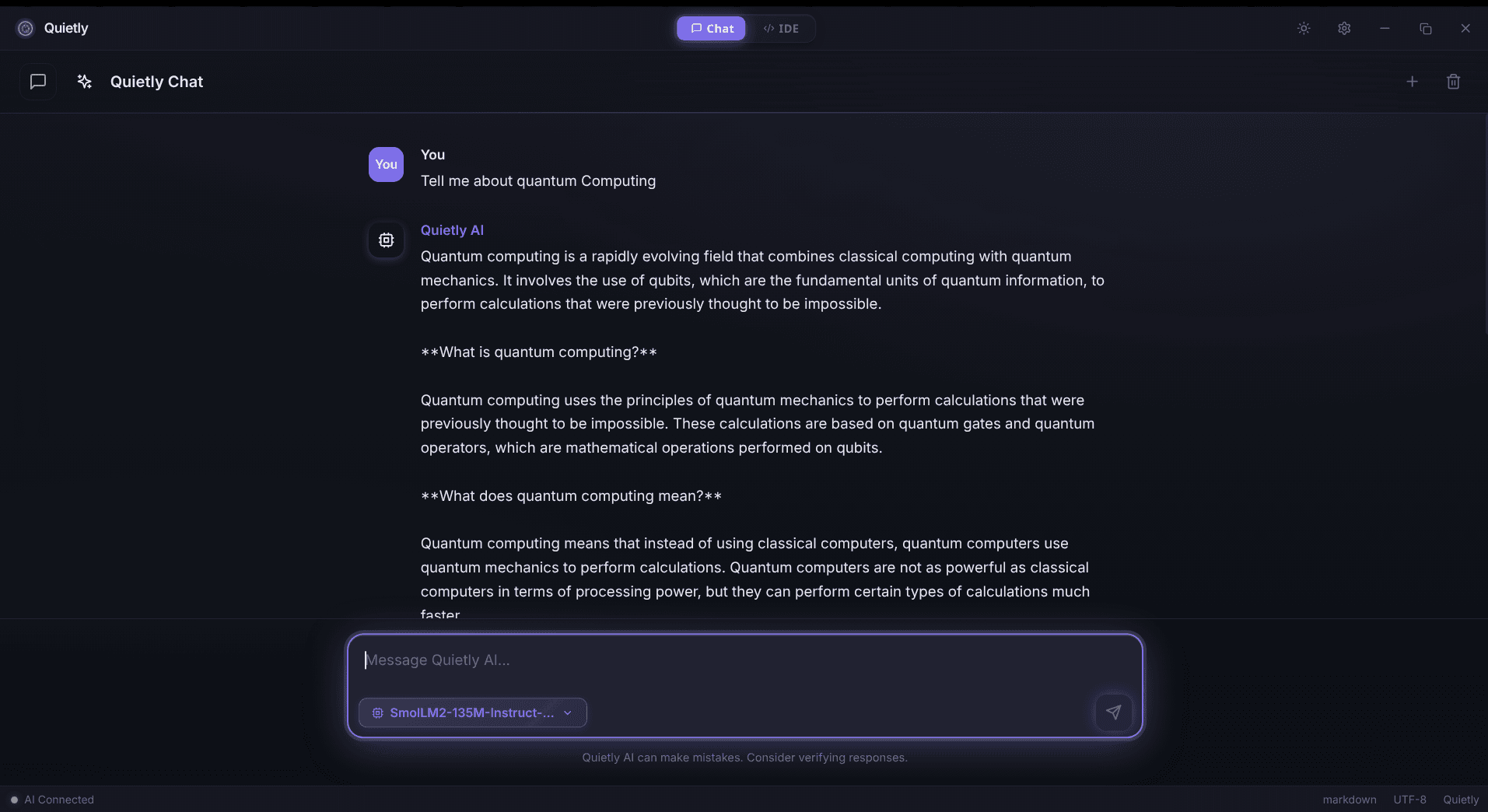
- Open Quietly Chat (not the coding IDE) and ask an ordinary question you already know the answer to—verify tone and speed.
- Turn on airplane mode and ask again. If it still replies, you have a real offline ChatGPT alternative.
- Optional: explore the offline AI IDE later only if you write code. Your license covers both.
tip
Pricing calm
Quietly uses a one-time license model (see quietlycode.org/pricing) instead of a metered chatbot subscription. You still provide the computer electricity—and you keep the data boundary.
Bookmark quietlycode.org/offline-ai-chat for the product overview. Support: quietlycode.org/support.
Safety and etiquette (still on your machine)
- Offline does not mean infallible—verify facts that matter (medical, legal, financial) with qualified humans.
- Do not paste passwords into any assistant, local or cloud.
- For shared family PCs, use OS user accounts; chat history lives on the device.
- If you enable air-gap / network blocking features, download models before you disconnect.
- Be kind to future you: name chats clearly (“Client A outline”) so local history stays usable.
warning
Sensitive topics deserve local defaults
Health, relationships, HR drafts, unpublished manuscripts—these are exactly why private local chat exists. Prefer on-device assistants when the cost of a leak is personal or professional harm.
When you might stay with a cloud chatbot
Honesty converts better than hype. Keep a hosted bot when you need cutting-edge multimodal features your laptop cannot run, or when IT already contracted an enterprise cloud assistant with approved data controls.
- Stay cloud: approved corporate tool with legal review already done.
- Go Quietly Chat: personal device, travel, freelancing, school work, creative drafts you refuse to upload.
- Hybrid life: many people use cloud for trivial public questions and local chat for anything identifiable.
FAQ
Is there a ChatGPT offline alternative that non-developers can use?
Yes. Quietly Chat is a desktop offline AI chat experience for Windows, macOS, and Linux. You install the app, download a local model, and converse privately without writing code.
Does Quietly Chat work without internet?
After the initial download of the app and model files, yes. Turn on airplane mode to verify. You only need the network again to fetch new models or installers.
Do I need to know how to code?
No. Chat is designed for everyday questions, learning, brainstorming, and drafting. Coding tools live in Quietly’s IDE for people who want them later.
Will answers be as good as ChatGPT?
Hosted frontier models can still lead on some hard tasks. Offline chat wins on privacy, offline reliability, and cost predictability. Start with a model size that feels fast on your computer; upgrade the model file if you want more capability.
How is this different from mobile “offline” modes?
Many mobile features cache limited content or still call servers. Quietly runs full on-device inference for chat on your computer after setup—prompts do not need a cloud round-trip for normal use.
Related guides
Awareness
Offline AI Chat: The Private Local LLM Chatbot Guide (2026)
What offline AI chat is, why people switch from cloud ChatGPT-style bots, and how Quietly runs private on-device conversations on Windows, macOS, and Linux.
Comparison
Top 5 Local AI Coding Tools You Can Run Offline (2026 Edition)
A practical shortlist for privacy-first developers: compare RAM needs, latency, and offline guarantees for popular local AI coding workflows (including Quietly).
Awareness
Local RAG for Repos: Private Project Context Without Cloud
How local RAG gives an offline AI IDE surgical repo context without uploading code: indexing under .quietly/, .gitignore/.quietignore, cursor-aware retrieval, and a privacy checklist for teams.