A Private ChatGPT for Students: How to Study with AI Offline
Use a ChatGPT-style assistant that runs on your own laptop—no internet, no subscription, and no one reading your chats. Practical study workflows, the best small models for student laptops, and how to use AI without cheating yourself.
Awareness · 9 min
A Private ChatGPT for Students
Use a ChatGPT-style assistant that runs on your own laptop—no internet, no subscription, and no one reading your chats. Practical study workflows, the best small models for student laptops, and how to use AI without cheating yourself.
Definition
A private ChatGPT for students is an AI chat assistant that runs entirely on your own laptop. It can explain topics, quiz you, and help with writing and code—without internet, without monthly fees, and without your conversations being stored on anyone’s servers.
AI can be an amazing study partner: patient, available at 2 a.m., and happy to explain the same idea five different ways.
But cloud chatbots come with trade-offs students feel more than most—monthly fees, usage limits, spotty campus Wi‑Fi, and chats stored on someone else’s servers.
A local AI assistant solves those problems. This guide shows how to set one up on an ordinary student laptop and, more importantly, how to use it in a way that actually helps you learn.
Why students are switching to offline AI
Cloud chatbots vs a local assistant.
| Cloud chatbot | Local AI (e.g. Quietly) | |
|---|---|---|
| Cost | Free tier with limits, or a monthly plan | $49 once, up to 3 devices |
| Internet | Required | Not needed after setup |
| Usage limits | Often | None — it’s your hardware |
| Privacy | Chats stored on company servers | Everything stays on your laptop |
| Smartest possible answers | Yes — large cloud models | Good, depending on your laptop |
- Study anywhere: libraries, trains, flights, and dorms with bad Wi‑Fi.
- Private by default: personal essays, health questions, and thesis ideas stay yours.
- No surprise bills or “you’ve reached your limit” messages the night before an exam.
Will it run on my laptop?
Almost certainly. You don’t need a gaming laptop—small modern models run on ordinary machines.
What to install based on your laptop’s memory.
| Laptop RAM | Good model | Good for |
|---|---|---|
| 8 GB | Llama 3.2 3B, Phi-4 Mini, or Gemma 3 4B | Explanations, quizzes, summaries, essay feedback |
| 16 GB | Qwen 2.5 7B or Llama 3.1 8B | Harder subjects, longer answers, coding help |
| Apple Silicon Mac | 7–8B models run smoothly on 16 GB | Everything above, faster |
tip
Let it choose for you
In Quietly, open Settings → Engine → Device scan and click “Scan my device.” It recommends models that will run well on your exact laptop.
7 study workflows that actually work
- Explain it simply: “Explain photosynthesis like I’m 12, then like I’m a first-year biology student.”
- Quiz me: “Give me 10 multiple-choice questions on the French Revolution. Don’t show answers until I reply.”
- Find my gaps: paste your notes and ask, “What important ideas are missing from these notes?”
- Socratic tutor: “Don’t give me the answer. Ask me questions that lead me to solve this equation.”
- Feedback, not ghostwriting: “Here’s my essay paragraph. Point out unclear sentences and weak arguments, but don’t rewrite it.”
- Flashcards: “Turn this chapter summary into 20 question-and-answer flashcards.”
- Debug with me: “Here’s my Python error. Explain what it means and give me a hint, not the full fix.”
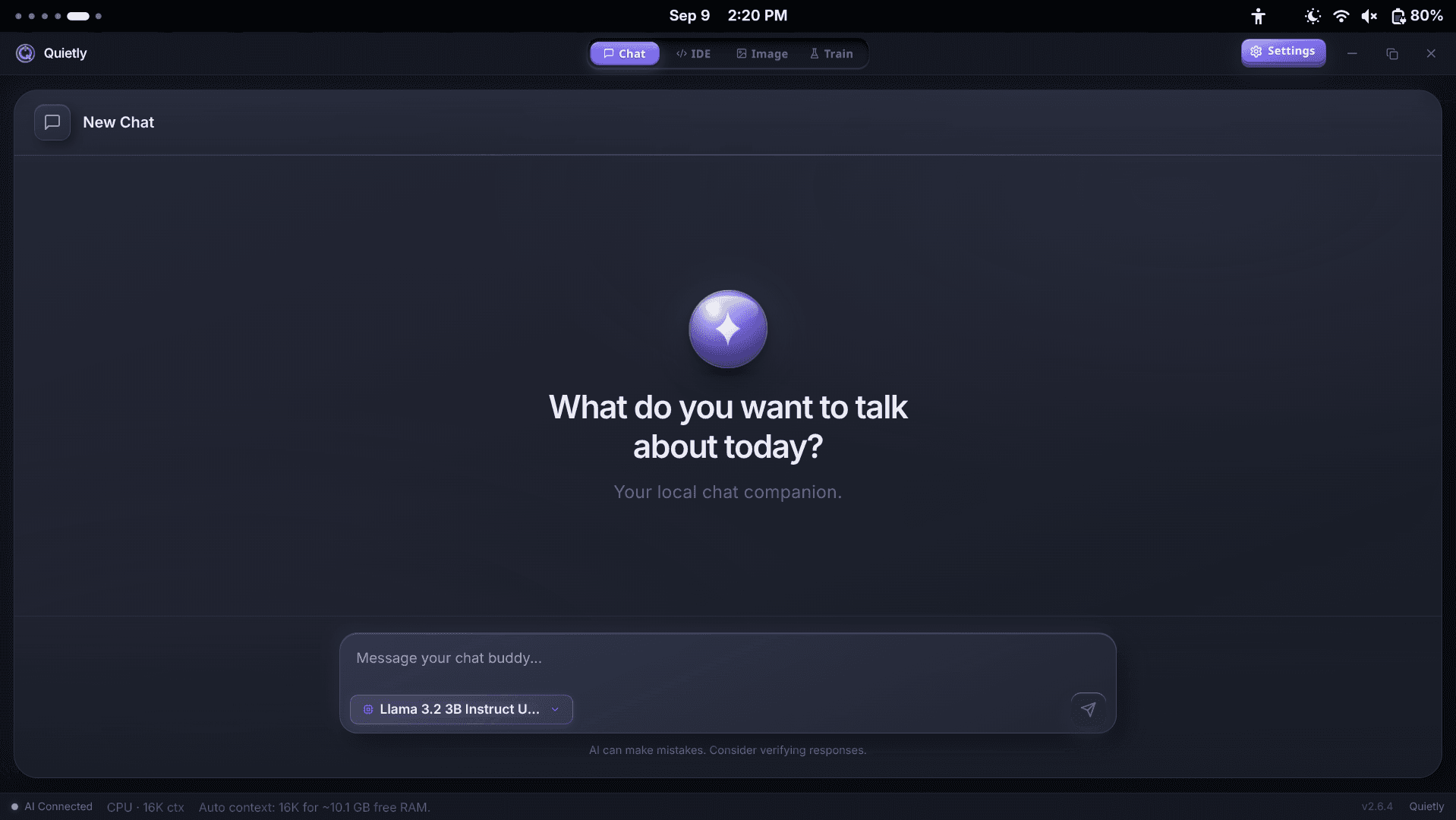
Features that help with studying
- Chat history with search: find last week’s explanation in seconds, and rename chats by subject.
- Export as Markdown: save a great explanation straight into your notes app.
- Edit and regenerate: rephrase your question or ask for another explanation.
- Branches: explore a side question without losing your main conversation.
- Image input: with a vision model, attach a photo of a diagram or handwritten problem and ask about it.
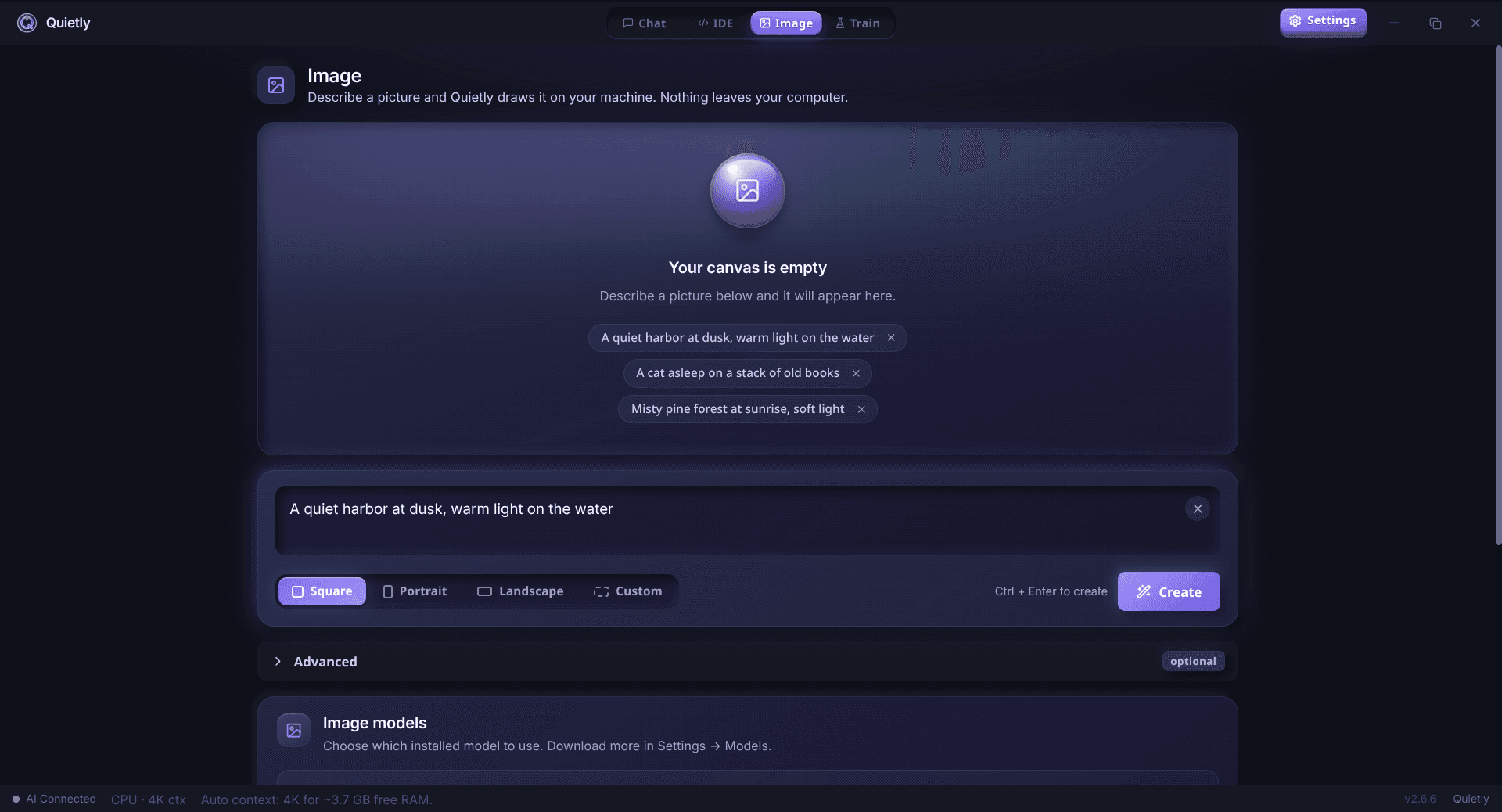
- Image generation: type /image followed by a description to create illustrations for presentations.
- Code help: if you study computer science, Quietly includes a full AI code editor too.
Using AI without cheating yourself
The goal of studying is to build knowledge in your own head. AI is best as a tutor, not a replacement for thinking.
- Try first, then ask. Struggle with a problem for a few minutes before asking for hints.
- Ask for explanations, not answers. You remember what you work out yourself.
- Double-check facts. Small local models can be confidently wrong—verify important facts, dates, and formulas with your textbook.
- Follow your school’s rules. Many courses have clear policies on AI use in assignments and exams; always respect them.
warning
AI can make mistakes
Every AI model—cloud or local—can produce wrong information. Treat answers as a starting point for learning, not as the final word.
Set up your offline study assistant in 10 minutes
- Get Quietly from quietlycode.org/pricing (one license covers up to 3 of your devices) and download it.
- Open the app and click Get Started. Let it auto-download the engine.
- Pick a starter model, then use Device scan to choose a better one for your laptop.
- Open the Chat view and ask your first question.
- Test it offline: turn Wi‑Fi off and keep chatting.
note
Internet only for setup
You need internet to activate your license and download models. After that, Quietly works offline and checks the license roughly once a week when you’re connected.
FAQ
Can I use ChatGPT offline?
ChatGPT itself needs internet. But you can run a similar AI assistant on your own laptop with an app like Quietly. After a one-time setup, it works completely offline.
What is the best offline AI for students?
For a typical 8 GB laptop, small models like Llama 3.2 3B, Phi-4 Mini, or Gemma 3 4B give good explanations and quizzes. With 16 GB, 7–8B models like Qwen 2.5 7B are noticeably smarter.
Is a local AI as good as ChatGPT?
Not on the hardest questions—big cloud models are smarter. For explaining concepts, quizzing, summarizing, and giving feedback, a good local model is very capable, private, and has no usage limits.
Is offline AI private?
Yes. With a local app like Quietly, your questions and chats are stored only on your laptop. Nothing is sent to a server, and there is no telemetry.
Is it allowed to use AI for studying?
It depends on your school and course. Using AI to understand topics and practise is usually encouraged, while submitting AI-written work may not be. Always follow your institution’s rules.
Related guides
Comparison
The Offline Cursor & GitHub Copilot Alternative: A Private AI IDE (2026)
Want Cursor- or Copilot-style AI coding without sending your code to the cloud? An honest look at what a private, offline AI IDE can do in 2026, where it still trails, and how Quietly fills the gap.
Comparison
Offline AI Image Generation on Your PC: SDXL vs FLUX vs Sana (2026)
Generate AI images on your own computer with no internet, no credits, and no uploads. SDXL, FLUX.1 schnell, and SANA compared in plain English—what hardware each needs and which one to pick.
Awareness
ChatGPT Offline Alternative for Non-Developers (Private Local Chat)
A practical ChatGPT offline alternative for students, writers, and professionals: private on-device chat without coding, what hardware you need, and how Quietly Chat keeps prompts off the cloud.