Offline AI Chat: The Private Local LLM Chatbot Guide (2026)
What offline AI chat is, why people switch from cloud ChatGPT-style bots, and how Quietly runs private on-device conversations on Windows, macOS, and Linux.
Awareness · 11 min
Offline AI Chat
What offline AI chat is, why people switch from cloud ChatGPT-style bots, and how Quietly runs private on-device conversations on Windows, macOS, and Linux.
Definition
Offline AI chat is conversational AI that runs on your own computer with a local language model—so questions, drafts, and brainstorming stay on-device instead of being sent to a cloud chatbot API.
Most people meet AI through a browser tab: ChatGPT, Claude, Gemini, and similar hosted assistants. They are fast to try—and they also mean your prompts leave your machine.
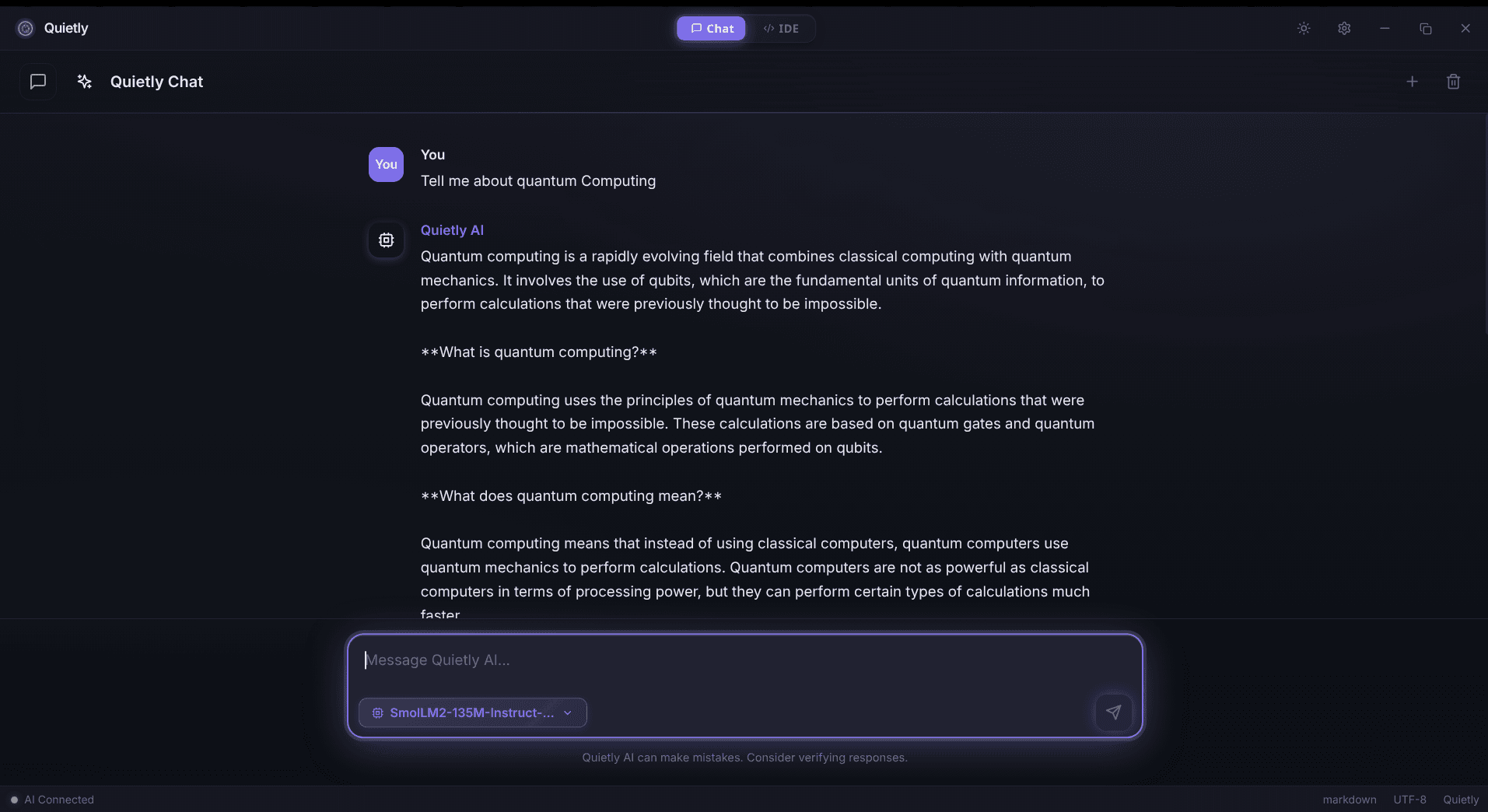
Offline AI chat flips that model. After you install an app and download a local model, you can ask questions, learn, summarize, and brainstorm with Wi‑Fi off. That is the product category Quietly targets with Quietly Chat—alongside its offline AI IDE.
This guide defines offline AI chat, compares it to cloud chatbots, and shows who should care—even if you never write code.
What is offline AI chat?
Offline AI chat is a chat UI backed by a model that runs locally (CPU/GPU on your PC or laptop). You type a message; inference happens on your hardware; the reply appears in the same window. No account round-trip is required for every prompt once models are installed.
- Primary intent: conversation (questions, learning, brainstorming)—not only code completion.
- Data boundary: prompts and responses stay on the device by default.
- Setup once: install app → download model → chat offline afterward.
- Works for non-developers: you do not need an IDE workflow to benefit.
note
Offline after setup
“Offline” means the chat loop does not depend on third-party cloud APIs. You may still use the network once to download the app or model files—then disconnect.
Why people search for offline AI chat
Search interest clusters around privacy, control, and reliability—not novelty for its own sake.
- Privacy: journals, health notes, business drafts, personal questions you do not want logged by a vendor.
- Policy: workplaces that ban pasting sensitive text into public chatbots.
- Travel / flaky internet: planes, trains, rural links, and locked-down networks.
- Cost predictability: heavy daily chat without per-token API bills or seat subscriptions.
- Ownership: choose the model file and quantization that fit your machine.
tip
Non-developers are the growth audience
“Offline AI chat” is not a niche developer keyword alone. Students, writers, researchers, and knowledge workers want a private ChatGPT-style experience. Quietly positions Chat as a first-class product—not a side panel only for coders.
Offline AI chat vs cloud chatbots
High-level trade-offs. Model quality and speed depend on your hardware and the GGUF (or similar) model you choose.
| Dimension | Cloud chatbot | Offline AI chat (Quietly) |
|---|---|---|
| Where prompts go | Vendor servers | Your machine |
| Internet required for replies | Yes | No (after model download) |
| Account / subscription | Usually | One-time Quietly license |
| Newest frontier models | Often first | Local open models you install |
| Best for | Convenience | Privacy + offline reliability |
Cloud bots win on always-fresh hosted models and zero hardware setup. Offline AI chat wins when the data boundary matters more than chasing the absolute latest hosted model every week.
warning
“Private mode” is not the same as offline
Many cloud products offer retention toggles. That is still a cloud path: your text leaves the device. Offline AI chat removes that path for inference by design.
Everyday uses (no coding required)
- Ask questions and get explanations in plain language.
- Learn a topic with follow-ups—like a private tutor session.
- Brainstorm outlines, names, angles, and decision criteria.
- Summarize long notes or paste text you do not want in a web chatbot.
- Draft emails, study plans, or meeting agendas offline.
- Analyze information you already have locally without uploading files to a SaaS.
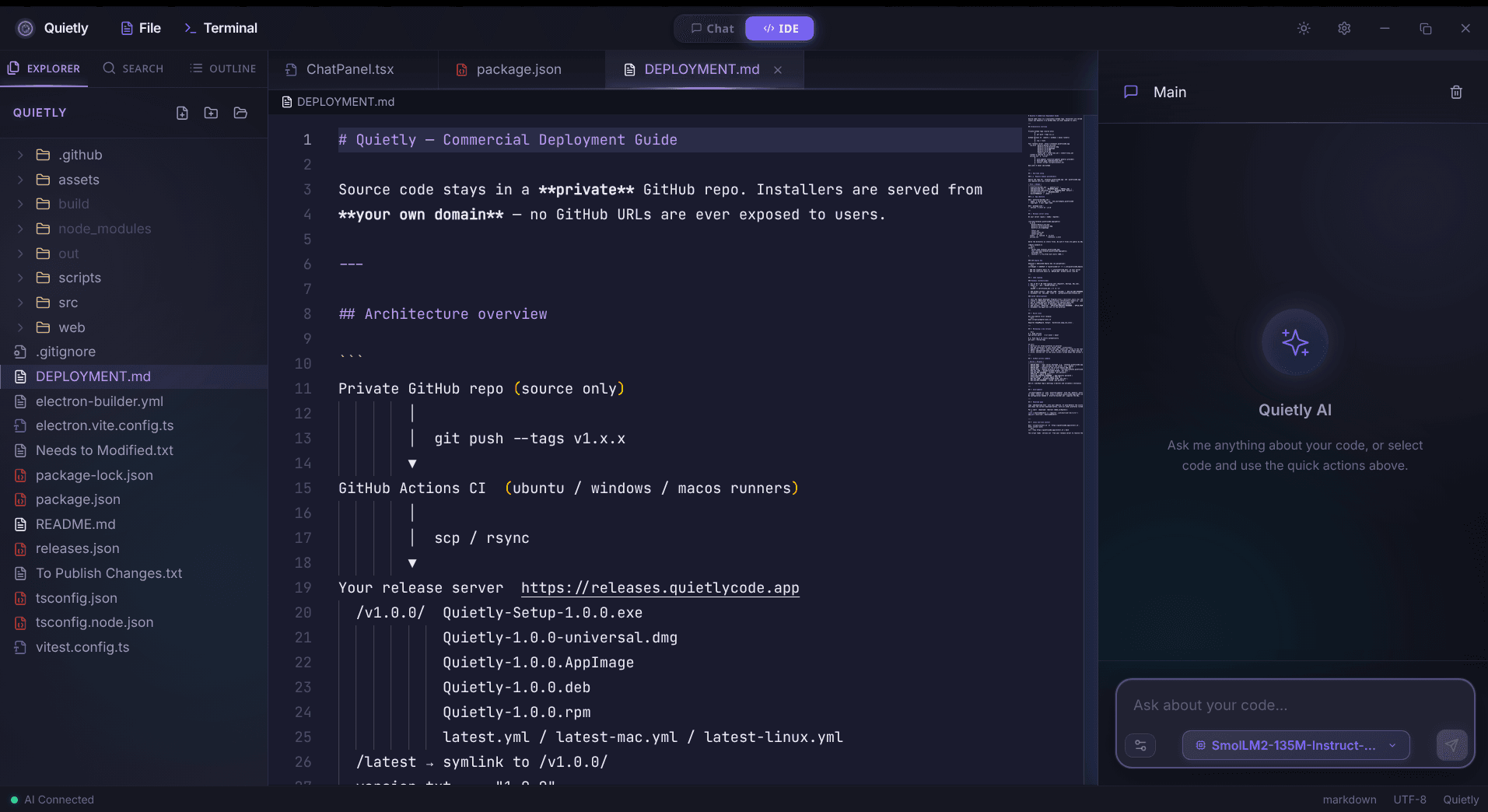
If you later need AI-assisted coding, Quietly’s offline AI IDE is in the same app—explain code, refactor, debug, and work in projects locally. Chat and IDE are equal use cases, not a hierarchy.
How Quietly delivers offline AI chat
Quietly is a desktop app for Windows, macOS, and Linux with Quietly Chat plus a full offline AI IDE. Local engines (including Llama.cpp, AirLLM, and Frontier/Colibri) run models on your hardware. Marketing posture: no cloud prompts by default and no telemetry on your conversations.
- Dedicated chat UI for everyday AI—not buried as a coding-only feature.
- Same license covers chat and IDE (lifetime license model on quietlycode.org/pricing).
- Model hub / in-app downloads so you are not assembling a fragile DIY stack from scratch.
- Air-gap friendly after provisioning for high-assurance environments.
tip
SEO / product pages to bookmark
Solution page: quietlycode.org/offline-ai-chat. Companion IDE page: quietlycode.org/offline-ai-ide. Download: quietlycode.org/download.
Getting started checklist
- Confirm your OS: Windows, macOS, or Linux.
- Download Quietly from quietlycode.org/download after licensing.
- Use in-app setup to fetch the local inference runtime and a chat-capable model.
- Open Quietly Chat and ask something ordinary—news you already know, a learning question, a brainstorm.
- Turn off Wi‑Fi and repeat: if replies still work, you have true offline AI chat.
note
Hardware reality check
Smaller quantized models chat well on modest laptops. Larger models need more RAM/VRAM. Start small, then upgrade the model file—not the vendor account.
Common mistakes when evaluating offline AI chat
- Comparing a tiny local model to the absolute best hosted frontier model without matching size/latency expectations.
- Assuming “open source UI + cloud API key” equals offline—keys still send prompts out.
- Skipping the airplane test (disable network and chat again).
- Treating chat as an IDE-only feature and ignoring non-developer use cases.
FAQ
What is the best offline AI chat app?
The best fit depends on whether you want a focused desktop product or a DIY stack. Quietly provides offline AI chat and an offline AI IDE in one privacy-first app for Windows, macOS, and Linux. DIY options (local model servers + frontends) offer more tinkering and more setup.
Is offline AI chat the same as ChatGPT?
It is the same category of conversational AI, but different infrastructure. ChatGPT is cloud-hosted. Offline AI chat runs a local model on your machine so prompts do not need a cloud API for each reply.
Do I need to be a programmer to use Quietly Chat?
No. Quietly Chat is designed for everyday questions, learning, brainstorming, and summarization. Coding features live in the IDE; chat stands on its own.
Does offline AI chat work without internet?
Yes after setup. You typically need internet once to download the app and model files. After that, conversations can run offline.
How is Quietly different from browser chatbots?
Quietly is a local desktop app with on-device inference by default, a one-time license, and no requirement to send prompts to a hosted chatbot for normal use.
Related guides
Awareness
ChatGPT Offline Alternative for Non-Developers (Private Local Chat)
A practical ChatGPT offline alternative for students, writers, and professionals: private on-device chat without coding, what hardware you need, and how Quietly Chat keeps prompts off the cloud.
Comparison
Top 5 Local AI Coding Tools You Can Run Offline (2026 Edition)
A practical shortlist for privacy-first developers: compare RAM needs, latency, and offline guarantees for popular local AI coding workflows (including Quietly).
Awareness
Local RAG for Repos: Private Project Context Without Cloud
How local RAG gives an offline AI IDE surgical repo context without uploading code: indexing under .quietly/, .gitignore/.quietignore, cursor-aware retrieval, and a privacy checklist for teams.