Switching from Windows to Linux for AI Development: Why I Chose Arch & Quietly
A personal, technical migration story: why Arch Linux + a local-first AI workflow feels faster, calmer, and more private for day-to-day development.
Comparison · 9 min
Switching from Windows to Linux for AI Development
A personal, technical migration story: why Arch Linux + a local-first AI workflow feels faster, calmer, and more private for day-to-day development.
Definition
Local AI Coding is running your AI assistant on your own machine so you can develop with privacy and low latency — even when you’re offline.
I didn’t switch to Linux because it’s trendy. I switched because I was tired of my dev machine feeling like it belonged to someone else.
Here’s what changed when I moved from Windows to Arch Linux and built my daily workflow around local AI tooling (Quietly).
My daily local-first setup
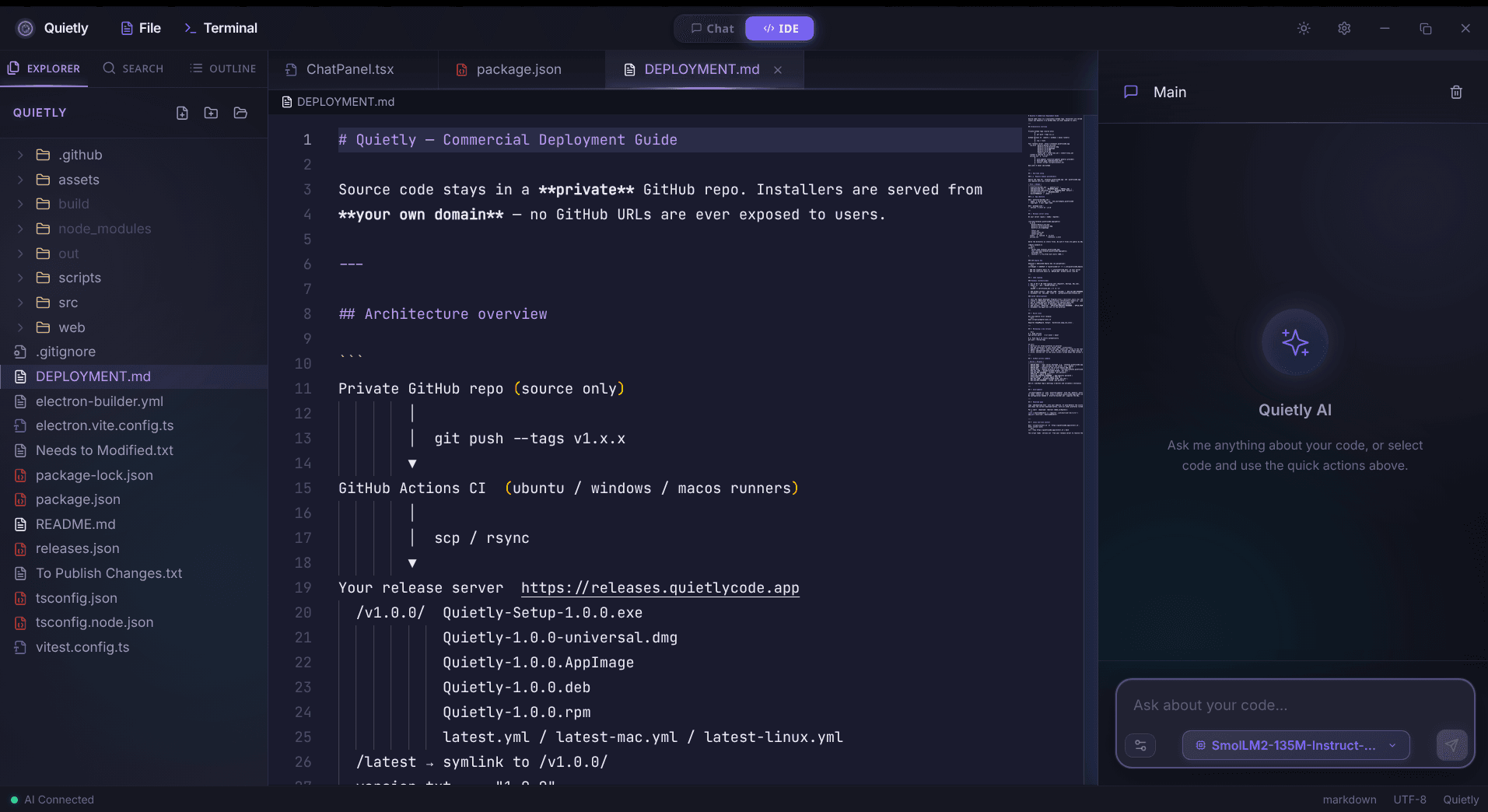
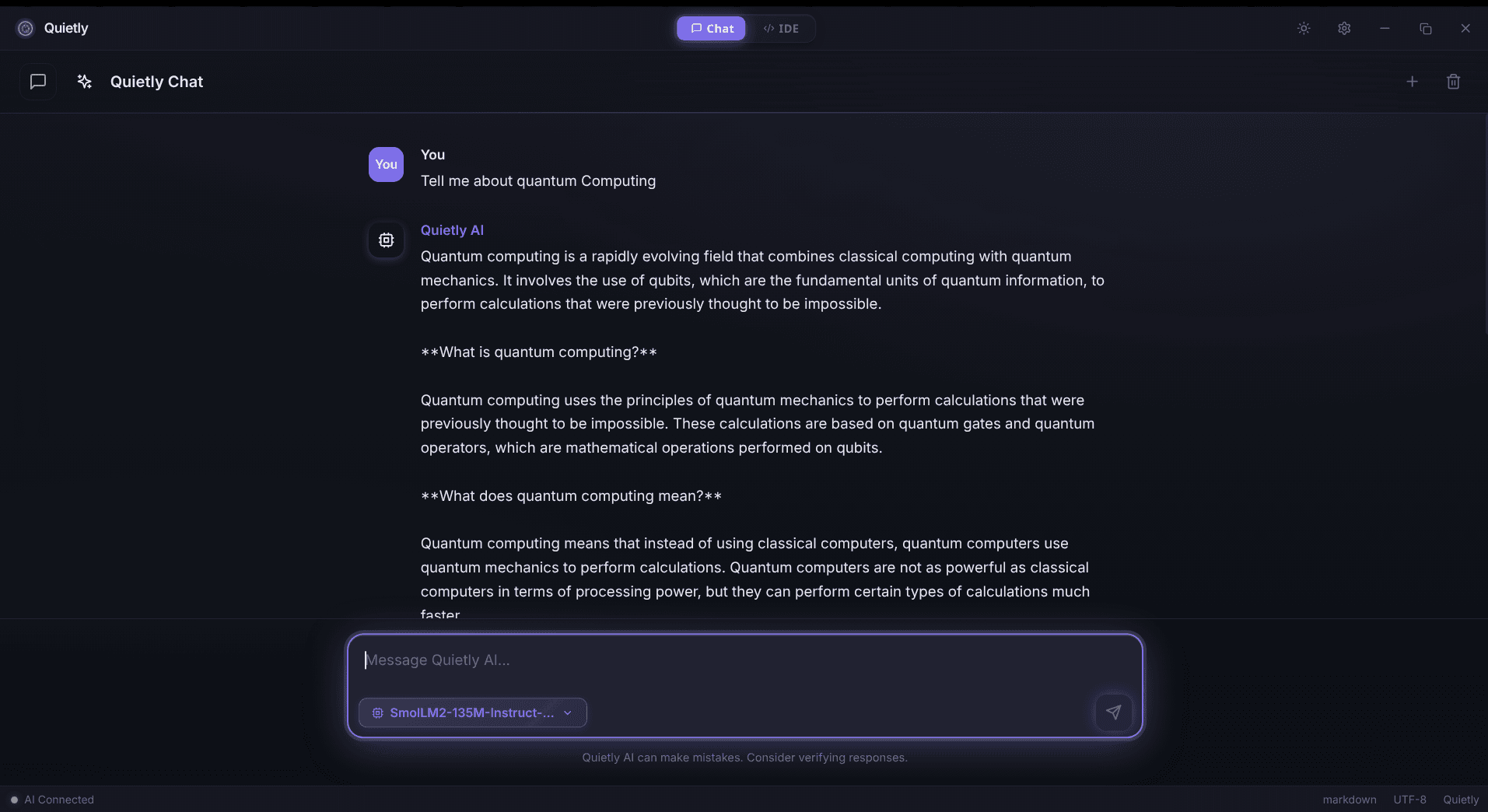
Why Linux felt like the “right” baseline for AI dev
- Package management that behaves like infrastructure, not magic.
- Fewer background surprises: services and networking are explicit.
- Better ergonomics for local model runtimes (CLI-first tooling).
- Clearer performance diagnostics (CPU/RAM/IO visibility).
note
The real win wasn’t speed — it was control
The strongest argument for Linux in privacy-first AI dev is not benchmarks. It’s being able to reason about what’s running and where data flows.
Why Arch specifically
Arch forces you to understand your system. That sounds like pain until you realize: AI dev is already systems work (drivers, runtimes, memory pressure, inference servers).
- Watch CPU + memory pressure while you use your assistant (spikes and swapping kill flow).
- Confirm GPU visibility if you’re offloading inference (optional but helpful for bigger models).
- Keep an eye on disk space and IO; slow disks can feel like “model slowness.”
Why Quietly fit this workflow
Once you’re on a Linux setup that you control, sending proprietary code to cloud assistants starts to feel… unnecessary. Local-first tools align with the reason you moved.
- Offline by default: the assistant doesn’t need an external API to be useful.
- Lower latency: answers arrive fast enough to stay inside your mental context.
- Better privacy posture: fewer exceptions, fewer policy debates, fewer “just this once” paste moments.
tip
Latency tracking (no scripts)
Once a day, time a handful of common prompts and write down how it feels: instant, acceptable, or slow. If it’s slow enough to break your train of thought, downsize the model or optimize your runtime. The best workflow is the one that keeps you inside the code.
Migration notes (what actually mattered)
- Pick a sane terminal + font + keybindings first (you live there).
- Make swapping impossible during inference: prioritize RAM headroom.
- Automate the boring: aliases/scripts for starting local runtimes.
- Keep a ‘minimal offline mode’ for travel and incident response.
FAQ
Why Arch Linux for AI development?
Because it encourages explicit control over drivers, services, and performance — the same things that matter when running models locally.
Is local AI really faster than cloud AI?
Often, yes for interactive workflows. Even when the model is smaller, low latency and no network round trip can feel significantly faster.
Do I need to be a Linux expert to use local AI tools?
No, but being comfortable with basic diagnostics (RAM, disk, GPU) helps a lot when you’re tuning for a smooth experience.
Is Quietly only for Linux?
No. Quietly is built for privacy-first AI coding across platforms, but Linux users often appreciate the offline-first workflow especially strongly.
Related guides
Comparison
Top 5 Local AI Coding Tools You Can Run Offline (2026 Edition)
A practical shortlist for privacy-first developers: compare RAM needs, latency, and offline guarantees for popular local AI coding workflows (including Quietly).
Awareness
Setting up a Privacy-First AI Workflow on GNOME & Arch Linux
A step-by-step, Linux-first workflow for local AI coding: offline defaults, network boundaries, model runtimes, and a practical setup checklist for GNOME + Arch.
Awareness
ChatGPT Offline Alternative for Non-Developers (Private Local Chat)
A practical ChatGPT offline alternative for students, writers, and professionals: private on-device chat without coding, what hardware you need, and how Quietly Chat keeps prompts off the cloud.